O que você precisa
-
-
-
Locate the battery and the battery tabs on the bottom of the Compaq Mini.
 Pergunte ao FixBot
-
-
-
-
-
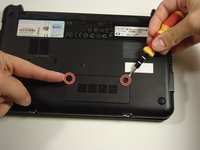
Use a Philips #0 screwdriver to unscrew the two screws covering the memory compartment on the bottom of the laptop and remove the cover.
-
-
-
Push out the side tabs simultaneously and pull out the old RAM module.
-
-
-
-
-
-
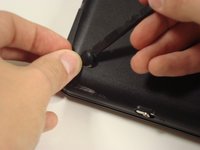
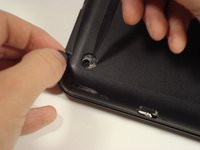
Remove the rubber pads located on the corners of your Compaq Mini.
-
-
-
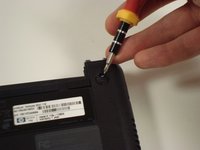
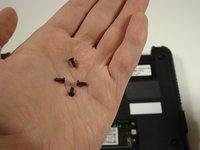
Unscrew all the corner screws. There are four total, one under each rubber pad.
-
-
-
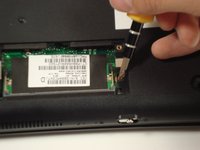
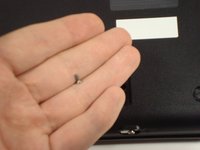
Unscrew the screw for the bottom case located in the RAM compartment.
-
-
-
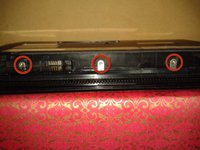
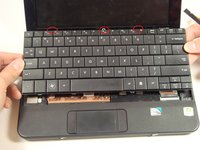
Remove the three screws in the silver tabs at the back of the keyboard.
-
Lift the keyboard away from the laptop.
-
-
-












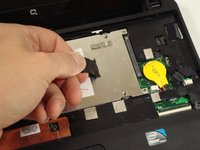
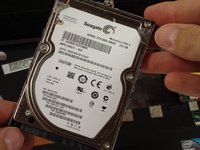
To reassemble your device, follow these instructions in reverse order.
Cancelar: não concluí este guia.
16 outras pessoas executaram este guia.

Equipe

Cal Poly, Team 22-2, Maness Fall 2010 Membro de Cal Poly, Team 22-2, Maness Fall 2010
CPSU-MANESS-F10S22G2
6 Membros
Autoria de 77 guias
2Comentários do guia
still cannot remove back of my compacq mini. i have taken all screws out as told but back refuses to part.
still cannot remove back of my compact after removing all screws. are ther any more hidden clips ? mike
