Introdução
Use this guide in order to remove the circuit board of the LG VX8350.
O que você precisa
-
-
Locate the horizontal grip located on the back cover of the phone.
-
Slide the back cover down and off of the phone.
 Pergunte ao FixBot
-
-
-
Insert a plastic opening tool into the battery release point located above the battery.
-
Pull outwards in order to release the battery.
-
-
Ferramenta utilizada neste passo:Tweezers$4.99
-
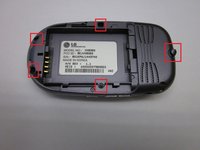
Locate the 5 screws holding the body of the phone together.
-
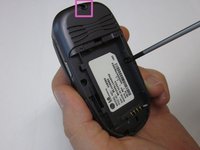
Using a Philips head screwdriver, twist counterclockwise to remove the screws.
-
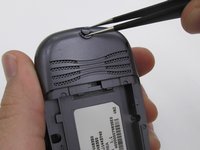
Take special care with the screw located at the top of the phone. It is smaller and more likely to be damaged or improperly attached.
-
-
-
-
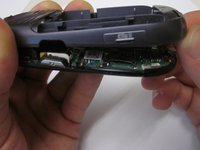
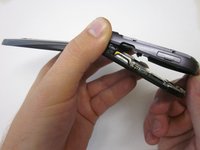
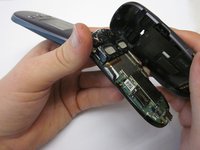
Locate the clamp at bottom right side of the Circuit Board.
-
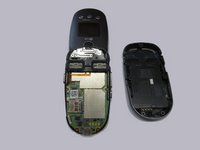
Pull the circuit board from the phone being cautious to pull out underneath the clamp.
-
-
-
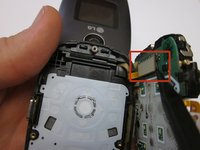
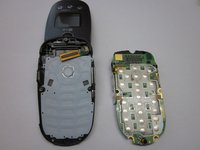
Locate the ribbon connecting the circuit board to the phone display.
-
Using the spudger, disconnect the ribbon connecting the phone's display and the circuit board.
-
Remove the circuit board
-








To reassemble your device, follow these instructions in reverse order.

Equipe

Clemson, Team 14-7, Benson Fall 2013 Membro de Clemson, Team 14-7, Benson Fall 2013
CLEM-BENSON-F13S14G7
3 Membros
Autoria de 16 guias
