Essa tradução foi gerada por um programa e ainda não foi revisada por uma pessoa. Falas essa língua? Dá uma olhada.
Introdução
Siga este guia de instalação passo a passo para substituir a placa-mãe da sua câmera Canon PowerShot SD700 IS.
Para facilitar o processo, veja nosso guia mais detalhado sobre como remover a carcaça da câmera no guia de substituição da tela LCD.
O que você precisa
-
-
-
Desligue a câmera pressionando o botão LIGA/DESLIGA acima da tela LCD.
 Pergunte ao FixBot
-
-
-
Remova os dois parafusos pequenos na parte inferior da câmera usando uma chave Phillips #00.
-
-
-
Use uma chave Phillips #00 para remover os dois parafusos pequenos no lado direito da câmera.
-
-
-
Use uma chave Phillips #00 para remover o parafuso à esquerda da câmera, abaixo da etiqueta digital A/V out.
-
-
-
Use uma chave Phillips #00 para remover o parafuso na parte inferior da câmera, próximo aos slots da bateria e do cartão de memória.
-
-
-
Remova as carcaças frontal, traseira e lateral da câmera e coloque-as de lado.
-
-
-
-
-
-
Desconecte o LCD e a retroiluminação.
-
Remova o parafuso maior.
-
Remova os dois parafusos menores.
-
Remova o parafuso pequeno.
-
Remova o parafuso pequeno.
-
-
-
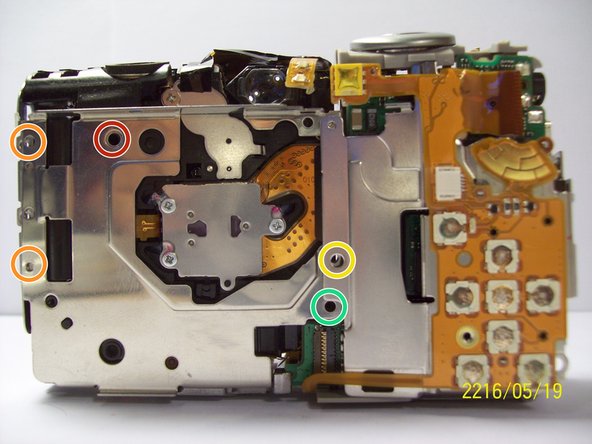
Remova os dois parafusos próximos ao suporte para tripé usando uma chave Phillips #00.
-
-
-
Remova o parafuso ao lado do obturador na parte superior da câmera com uma chave Phillips.
-
-
-
Remova o cabo plano laranja levantando a aba do conector ZIF preso ao cabo com uma espátula.
-
-
-
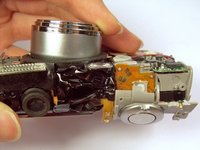
Levante cuidadosamente a aba junto com o cabo flexível conectado a ela. Isso removerá a carcaça ao redor da placa-mãe.
-
-
-
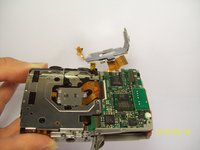
Com a carcaça da placa-mãe destacada, remova o cabo flat laranja curto levantando a trava do conector ZIF com uma espátula ou outra ferramenta de abertura e deslize o cabo para fora. Ao desconectar esse cabo, você separará a parte da câmera que contém a placa-mãe do restante do dispositivo.
-
-
-
Desconecte os fios que estão fixados à placa-mãe.
-
Remova a película levantando-a gentilmente da placa-mãe.
-
-
-
Remova a última fiação conectada à placa-mãe levantando-a suavemente para cima.
-
-
-
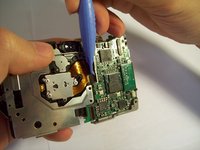
Use uma espátula para levantar delicadamente a placa de circuito.
-
-
-
Remova o parafuso usando uma chave Phillips #00.
-
Levante delicadamente a placa-mãe para fora da carcaça.
-
-
-
Remova o parafuso.
-
Após remover o parafuso, você pode retirar a placa.
-
-






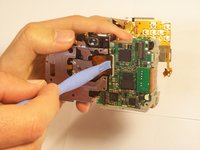
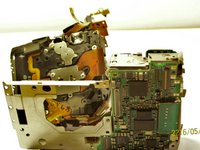


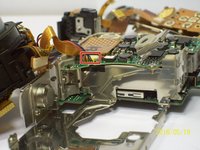
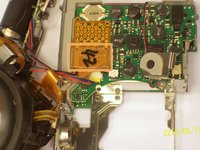


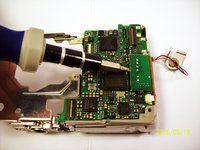
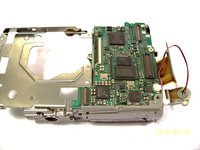


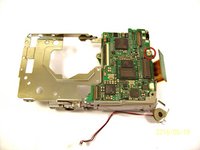
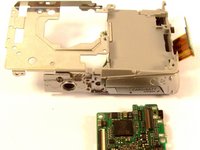


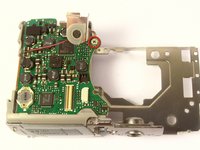
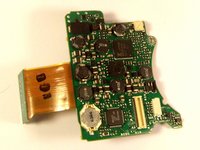
Para a remontagem de seu dispositivo, siga estas instruções na ordem inversa.

Equipe

Cal Poly, Team 9-71, Walters Spring 2011 Membro de Cal Poly, Team 9-71, Walters Spring 2011
CPSU-WALTERS-S11S9G71
4 Membros
Autoria de 96 guias
