Ir para o conteúdo principal
Participe da comunidade de reparos - Criar conta

Canon PowerShot S230 Buttons Replacement

O que você precisa

  1. Canon PowerShot S230 Buttons Replacement, Battery: passo 1, imagem 1 %32
    • On the bottom of the camera, use your thumb to press the rubber battery cover towards the side of the camera with the strap base. The cover will shift to extend beyond the rest of the camera.

    Pergunte ao FixBot

    Comentar

  2. Canon PowerShot S230 Buttons Replacement: passo 2, imagem 1 %32
    • Hold the end of the battery cover that extends beyond the camera and lift it up.

    Pergunte ao FixBot

    Comentar

  3. Canon PowerShot S230 Buttons Replacement: passo 3, imagem 1 %32
    • Locate the orange tab next to the battery. Next roll the tab back in order for the battery to come out.

    Pergunte ao FixBot

    Comentar

  4. Canon PowerShot S230 Buttons Replacement: passo 4, imagem 1 %32
    • Pull the battery out.

    Pergunte ao FixBot

    Comentar

  5. Canon PowerShot S230 Buttons Replacement, Memory Card: passo 5, imagem 1 %32 Canon PowerShot S230 Buttons Replacement, Memory Card: passo 5, imagem 2 %32 Canon PowerShot S230 Buttons Replacement, Memory Card: passo 5, imagem 3 %32
    • Locate the sliding button labeled "CF open" on the back of the camera.

    • Press and slide down the button labeled "CF open". The memory card cover will pop open.

    Pergunte ao FixBot

    Comentar

  6. Canon PowerShot S230 Buttons Replacement: passo 6, imagem 1 %32 Canon PowerShot S230 Buttons Replacement: passo 6, imagem 2 %32 Canon PowerShot S230 Buttons Replacement: passo 6, imagem 3 %32
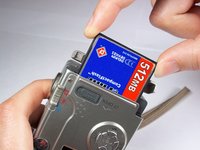
    • Push down on the black square button next to the memory card slot. This will release the memory card from the slot.

    Pergunte ao FixBot

    Comentar

  7. Canon PowerShot S230 Buttons Replacement: passo 7, imagem 1 %32 Canon PowerShot S230 Buttons Replacement: passo 7, imagem 2 %32
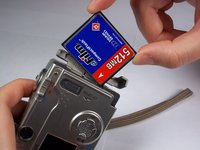
    • Pull the memory card out of the memory card slot.

    Pergunte ao FixBot

    Comentar

  8. Canon PowerShot S230 Buttons Replacement, Camera Casing: passo 8, imagem 1 %32
    • Remove two 2.4mm Phillips screws from the right side of the camera.

    Pergunte ao FixBot

    Comentar

  9. Canon PowerShot S230 Buttons Replacement: passo 9, imagem 1 %32
    • Remove two 2.4mm Phillips screws above the label on the bottom of the camera.

    • Remove two 2.8mm Phillips screws next to the tripod hole.

    Pergunte ao FixBot

    Comentar

  10. Canon PowerShot S230 Buttons Replacement: passo 10, imagem 1 %32
    • Remove the two 3.2mm Phillips screws that are closer to the top and bottom edges of the camera.

    • Remove the two 3.8mm Phillips screws on either side of the strap base.

    Pergunte ao FixBot

    Comentar

  11. Canon PowerShot S230 Buttons Replacement: passo 11, imagem 1 %32
    • Remove one 1.6mm Phillips screw from the above the CF open button on back of the camera.

    Pergunte ao FixBot

    Comentar

  12. Canon PowerShot S230 Buttons Replacement: passo 12, imagem 1 %32 Canon PowerShot S230 Buttons Replacement: passo 12, imagem 2 %32 Canon PowerShot S230 Buttons Replacement: passo 12, imagem 3 %32
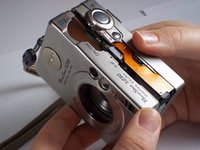
    • Gently pull the front casing from the camera.

    • The following items will either fall off or will be loose: the strap base, the gray rubber cover labeled "Digital A/V Out", and the black rubber piece over the view finder.

    • Remove the memory card cover by sliding down the CF open button and moving the pin.

    Pergunte ao FixBot

    Comentar

  13. Canon PowerShot S230 Buttons Replacement: passo 13, imagem 1 %32 Canon PowerShot S230 Buttons Replacement: passo 13, imagem 2 %32
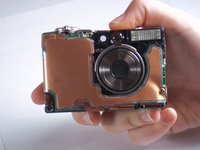
    • Gently pull the back casing from the camera.

    Pergunte ao FixBot

    Comentar

  14. Canon PowerShot S230 Buttons Replacement, Buttons: passo 14, imagem 1 %32 Canon PowerShot S230 Buttons Replacement, Buttons: passo 14, imagem 2 %32
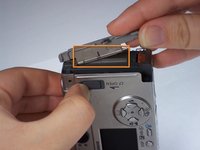
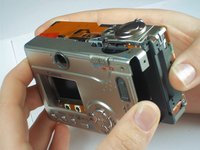
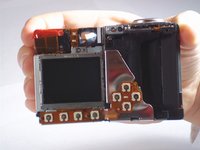
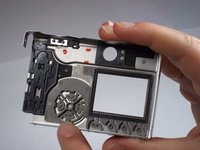
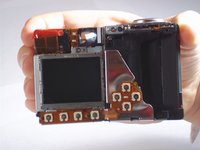
    • Locate the reverse side of the buttons by looking at the inside of the back camera casing.

    • Locate the button sensors, which connect to the logic board by a connecting ribbon, by looking at the back of the camera once the back casing has been removed.

    • The button sensors on the back of the camera should appear to match up with the reverse side of the buttons on the inside of the back camera casing. Imagine one as being the reverse image, or mirror image, of the other. This will help you locate where a problem is occuring if a button or a button sensor has been damaged.

    Pergunte ao FixBot

    Comentar

  15. Canon PowerShot S230 Buttons Replacement: passo 15, imagem 1 %32
    • Remove one 4.3mm screw directly below the power button on the top of the camera.

    • This screw attaches the entire panel for the power and picture-taking buttons. Be sure you are removing the screw from the top of the camera, as it is close to another screw on the back side of the camera.

    Pergunte ao FixBot

    Comentar

  16. Canon PowerShot S230 Buttons Replacement: passo 16, imagem 1 %32 Canon PowerShot S230 Buttons Replacement: passo 16, imagem 2 %32
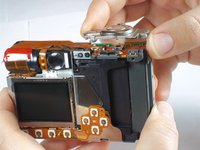
    • Gently lift the button panel from the top of the camera.

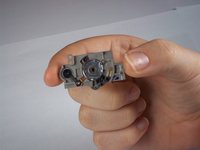
    • This is what the reverse side of the button panel looks like after removal.

    Pergunte ao FixBot

    Comentar

Conclusão

To reassemble your device, follow these instructions in reverse order.

Cancelar: não concluí este guia.

Alyssa Osberg

Membro desde: 01/10/11

242 Reputação

Autoria de 2 guias

Equipe

Cal Poly, Team 13-1, Forte Winter 2011 Membro de Cal Poly, Team 13-1, Forte Winter 2011

CPSU-FORTE-W11S13G1

4 Membros

Autoria de 5 guias

0Comentários do guia

Comentar

Visualizações:

Últimas 24 horas: 0

Últimos 7 dias: 2

Últimos 30 dias: 20

Ao todo: 1,350