Ir para o conteúdo principal
Participe da comunidade de reparos - Criar conta

Canon PowerShot ELPH 310 HS Shutter Button Replacement

O que você precisa

    1. Canon PowerShot ELPH 310 HS Shutter Button Replacement, External Panels: passo 1, imagem 1 %32
      • Use the Phillips #000 screwdriver from the iFixit tool kit to unscrew the two image stabilizer panel’s 2 mm Phillips head screws.

      • Using your hands, remove the image stabilizer panel.

      Pergunte ao FixBot

      Comentar

    2. Canon PowerShot ELPH 310 HS Shutter Button Replacement: passo 2, imagem 1 %32 Canon PowerShot ELPH 310 HS Shutter Button Replacement: passo 2, imagem 2 %32
      • Unscrew the two 4 mm Phillips head screws from the bottom side of the camera.

      Pergunte ao FixBot

      Comentar

    3. Canon PowerShot ELPH 310 HS Shutter Button Replacement: passo 3, imagem 1 %32 Canon PowerShot ELPH 310 HS Shutter Button Replacement: passo 3, imagem 2 %32
      • Using your hand, open the battery portal located on the bottom left of the camera. The screw is in the bottom left of the battery portal.

      • Unscrew the hidden 4mm Phillips head screw inside the battery portal.

      Pergunte ao FixBot

      Comentar

    4. Canon PowerShot ELPH 310 HS Shutter Button Replacement: passo 4, imagem 1 %32 Canon PowerShot ELPH 310 HS Shutter Button Replacement: passo 4, imagem 2 %32
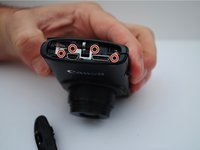
      • Remove the HDMI side panel with your hands.

      • Unscrew the four 4 mm Phillips head screws from the inside of the camera.

      Pergunte ao FixBot

      Comentar

    5. Canon PowerShot ELPH 310 HS Shutter Button Replacement: passo 5, imagem 1 %32
      • The back side of the camera should pop off or be removed by hand.

      Pergunte ao FixBot

      Comentar

    6. Canon PowerShot ELPH 310 HS Shutter Button Replacement: passo 6, imagem 1 %32 Canon PowerShot ELPH 310 HS Shutter Button Replacement: passo 6, imagem 2 %32
      • Unscrew the one 3 mm Phillips head screw on the top of the camera.

      Pergunte ao FixBot

      Comentar

    7. Canon PowerShot ELPH 310 HS Shutter Button Replacement: passo 7, imagem 1 %32
      • Manually remove the front panel from the camera.

      Pergunte ao FixBot

      Comentar

    1. Canon PowerShot ELPH 310 HS Shutter Button Replacement, Shutter Button: passo 8, imagem 1 %32
      • Using your hand, lift and remove the shutter button deck from the top of camera.

      • The front clasp is fragile.

      Pergunte ao FixBot

      Comentar

    2. Canon PowerShot ELPH 310 HS Shutter Button Replacement: passo 9, imagem 1 %32
      • Unclip the cables from the front of the motherboard, using your hands.

      Pergunte ao FixBot

      Comentar

Conclusão

To reassemble your device, follow these instructions in reverse order.

Cancelar: não concluí este guia.

Brandon

Membro desde: 09/24/15

101 Reputação

Autoria de 1 guia

0Comentários do guia

Comentar

Visualizações:

Últimas 24 horas: 1

Últimos 7 dias: 5

Últimos 30 dias: 23

Ao todo: 837