Introdução
The AC adapter may need to be replaced if you are experiencing issues with the power connection to your printer. The removable power cord is plugged into the AC adapter.
-
-
-
Remove power cord by disconnecting it from the AC Adapter.
 Pergunte ao FixBot
-
-
-
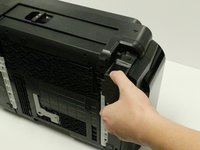
Pinch upper and lower prongs, moving them away from the AC adapter.
-
-
-
-
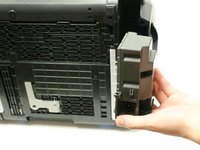
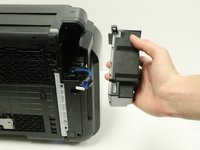
The AC adapter will now be loose, and able to come away from the printer.
-
Grasp the AC adapter and pull it toward you to remove it.
-
-
-
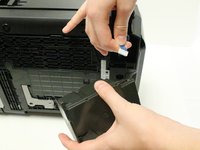
Rotate the AC adapter toward you so that the blue cord, with white connector head, is facing you.
-
-
-
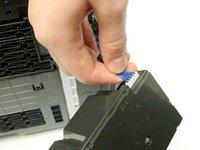
Grasp the white connector head that is attached to the end of the blue cord.
-
Disconnect the white connector head by gently pulling it away from the AC adapter.
-
You have successfully removed the AC adapter.
-
-




To reassemble your device, follow these instructions in reverse order.
Cancelar: não concluí este guia.
7 outras pessoas executaram este guia.

Equipe

USF Tampa, Team 1-3, Leahy Fall 2014 Membro de USF Tampa, Team 1-3, Leahy Fall 2014
USFT-LEAHY-F14S1G3
3 Membros
Autoria de 12 guias
3Comentários do guia
Does anybody know the pin-out for these power supplies?
WHERE CAN I BUY AC ADAPTER PIXMA GM 5220 PRINTER ? PLAESE !! my cell 678 899 1187, 770368 0409 w
Well I’ve just taken the AC Adapter out - I’ll let you know if a the replacement works once I’ve purchased it - Which I am hesitant to buy in case that’s not the problem.
The printer is barely 2 years old and barely used, I shouldn’t be experiencing this problem of the printer not turning on.
Canon you need to get your act together if you would like to stay in business, I’m seeing a lot of comments on this problem over a range of different printer models - Mine is a Pixma iX6860.
