Essa tradução foi gerada por um programa e ainda não foi revisada por uma pessoa. Falas essa língua? Dá uma olhada.
Introdução
Este guia mostrará como remover a tampa e a placa-mãe do Bose SoundTouch 20.
O que você precisa
-
-
-
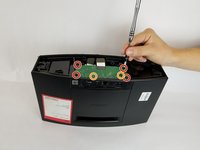
Remova os seis parafusos Phillips de 1,5 mm que prendem a tampa inferior do alto-falante usando uma chave Phillips #0.
-
Levante a tampa verticalmente e coloque-a de lado.
 Pergunte ao FixBot
-
-
-
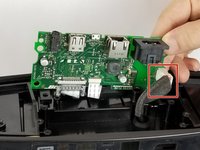
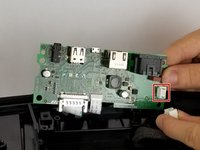
Puxe suavemente a fita branca do conector na parte superior da placa de alimentação.
-
-
-
-
Remova os quatro parafusos de 1,5 cm que conectam a placa de energia ao alto-falante.
-
Remova os dois parafusos de 1 cm que conectam a placa de energia ao alto-falante.
-
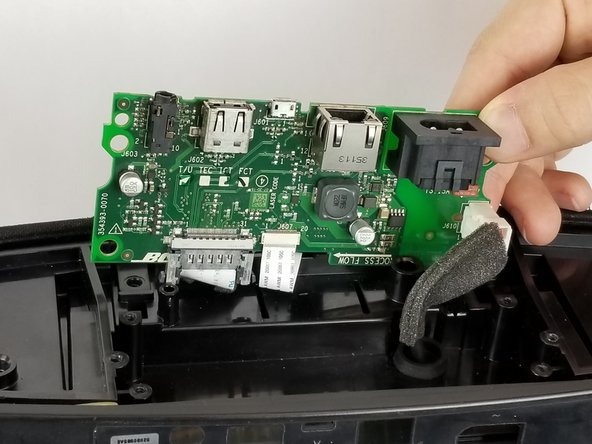
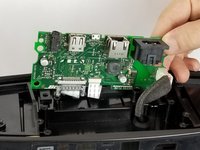
Levante a placa com cuidado.
-
-
-
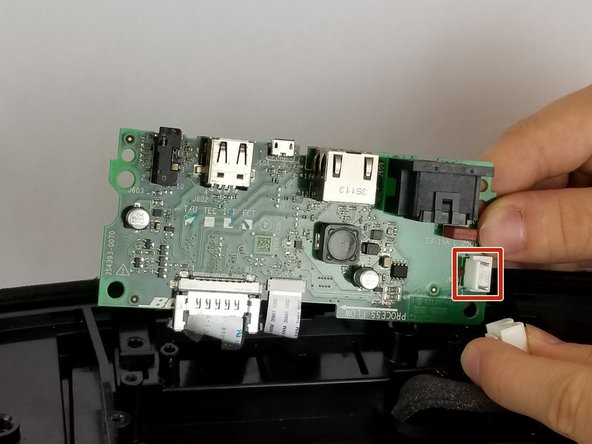
Remova o cabo branco pressionando a lateral do conector que possui uma aba e puxando para trás.
-
-
-
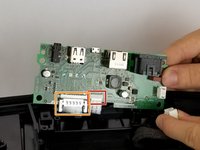
Puxe suavemente o cabo flat branco mais fino em direção ao centro da placa.
-
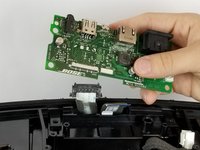
Aperte as laterais de plástico do conector e puxe diretamente para baixo para remover este cabo flat.
-
Remova a placa-mãe.
-
-





Para a remontagem de seu dispositivo, siga estas instruções na ordem inversa.
Cancelar: não concluí este guia.
5 outras pessoas executaram este guia.

Equipe

USF Tampa, Team S11-G3, Passmore Fall 2017 Membro de USF Tampa, Team S11-G3, Passmore Fall 2017
USFT-PASSMORE-F17S11G3
4 Membros
Autoria de 21 guias
8Comentários do guia
But how do I purchase a new motherboard?
Thank you for excellent information and instruction. Can you please send some link to order a new motherboard?
Thank you for the tutorial. How do I purchase a new motherboard ?
Any known place to purchase a replacement board?
Any luck with a place to purchase a replcement board ?
