Introdução
This guide will show you how to replace the screen on an Asus ZenBook UX303U laptop.
O que você precisa
-
-
-
Remove the two round rubber feet at the hinge-edge of the laptop.
 Pergunte ao FixBot
-
-
-
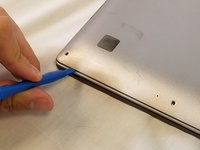
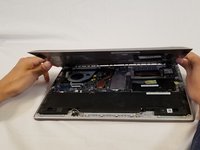
Using a plastic opening tool pry the back panel off of the laptop.
-
-
-
-
-
-
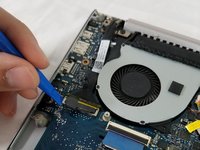
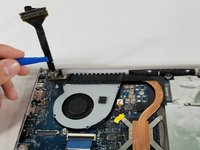
Remove cable connecting the screen assembly to the the motherboard.
-
-
-
Remove the three 4mm Phillips #00 screws in the hinge to loosen the motherboard fan.
-
Lift the hinge up.
-
-
-
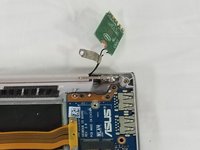
Remove the three Phillips #00 screws securing the hinge to the IO board.
-
-
-
Remove the Wi-Fi card by pulling it straight out of its connector.
-
-
-
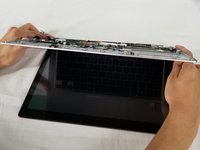
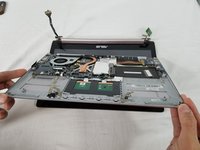
Lift the entire lower assembly up and off of the hinges securing it into place.
-
-






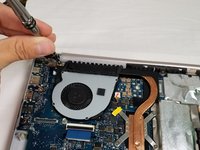
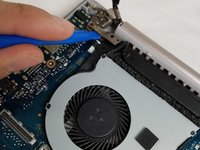
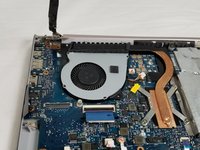


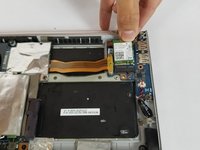


To reassemble your device, follow these instructions in reverse order.
Cancelar: não concluí este guia.
8 outras pessoas executaram este guia.

Equipe

USF Tampa, Team S3-G5, Nance Spring 2018 Membro de USF Tampa, Team S3-G5, Nance Spring 2018
USFT-NANCE-S18S3G5
3 Membros
Autoria de 9 guias
7Comentários do guia
If anyone knows of a good, reliable source to buy a replacement screen assembly let me know, please. I have a 303U with the 1800 screen and I accidentally sat something heavy enough on top of the laptop to crack the screen on the right-third of the screen. I can’t use half of the touch screen and it’s fairly obvious depending on the color/brightness of the content I’m looking at. Would like to be able to replace this and these steps are pretty easy for me to follow so I’m confident I can have a newish looking laptop again if I can find a replacement screen.
Hi ! Did you manage to find one? I’m trying to do the same thing :)
The bottom of the pictured device may feature Phillips #00 screws, but I also have this laptop and the screws around the edge of the bottom panel are Torx T5s on my device.
It seems that the hinge assembly on one side is broken on my UX303U, on the screen side of the hinge. Do I need to replace the whole screen assembly? The laptop works perfectly otherwise.
Same here, asus ux303u screen side hinge is stuffed. But I think it may actually be the plastic screen cover itself where the hinge attaches, not just the hinge.
