Ir para o conteúdo principal
Participe da comunidade de reparos - Criar conta

ArmorAll AA255 Power Cord Replacement

O que você precisa

    1. ArmorAll AA255 Power Cord Replacement, Lower Motor Housing: passo 1, imagem 1 %32
      • Remove the orange main housing unit from the vacuum bucket by pulling outward on the handle tabs while lifting upward as shown.

      Pergunte ao FixBot

      Comentar

    2. ArmorAll AA255 Power Cord Replacement: passo 2, imagem 1 %32
      • Remove the five 15mm PH2 screws.

      Pergunte ao FixBot

      Comentar

    3. ArmorAll AA255 Power Cord Replacement: passo 3, imagem 1 %32
      • Remove the 15 mm T20 screw. This screw is located nearest the power cord.

      Pergunte ao FixBot

      Comentar

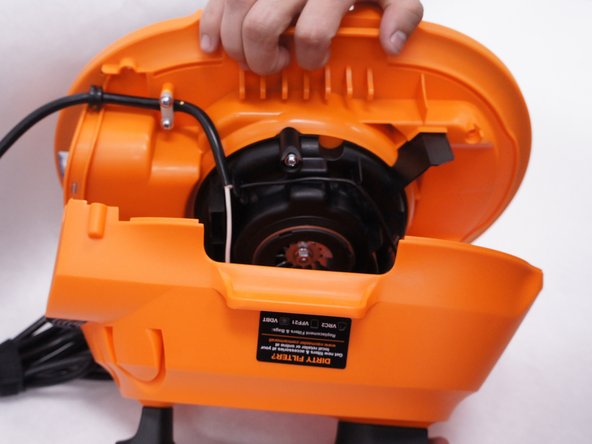
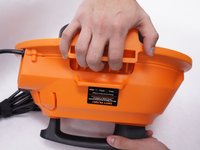
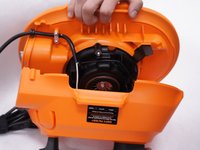
    4. ArmorAll AA255 Power Cord Replacement: passo 4, imagem 1 %32 ArmorAll AA255 Power Cord Replacement: passo 4, imagem 2 %32
      • Gently separate the upper and lower sections of the main housing.

      Pergunte ao FixBot

      Comentar

    1. ArmorAll AA255 Power Cord Replacement, Power Cord: passo 5, imagem 1 %32
      • Pull the black wire from the power cord out of the switch.

      • There are no clips or tabs that hold this wire in place. Just pull strongly to remove it.

      • Don't remove both black wires. Only the black wire that comes from the power cord itself needs to be removed. The one going to the motor can be left alone.

      Pergunte ao FixBot

      Comentar

    2. ArmorAll AA255 Power Cord Replacement: passo 6, imagem 1 %32
      • Remove the five 15mm screws from the plastic motor cover and power cord clamp using a PH2 screwdriver.

      Pergunte ao FixBot

      Comentar

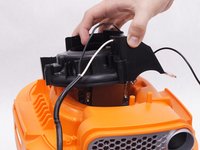
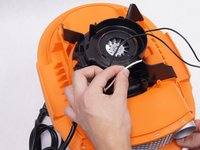
    3. ArmorAll AA255 Power Cord Replacement: passo 7, imagem 1 %32 ArmorAll AA255 Power Cord Replacement: passo 7, imagem 2 %32
      • Remove the plastic motor cover.

      • Be sure to loosen the white wire from the notch in the plastic motor cover by pulling it upwards.

      Pergunte ao FixBot

      Comentar

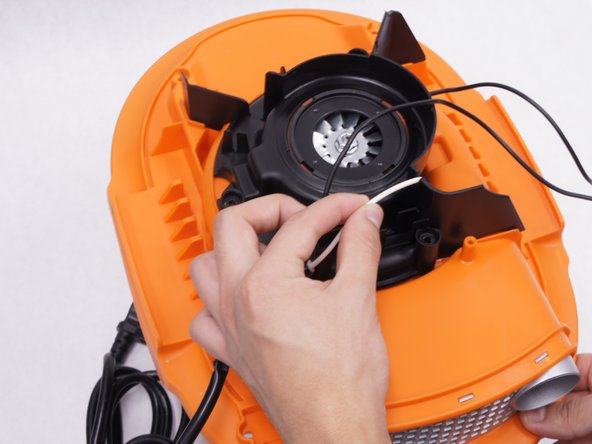
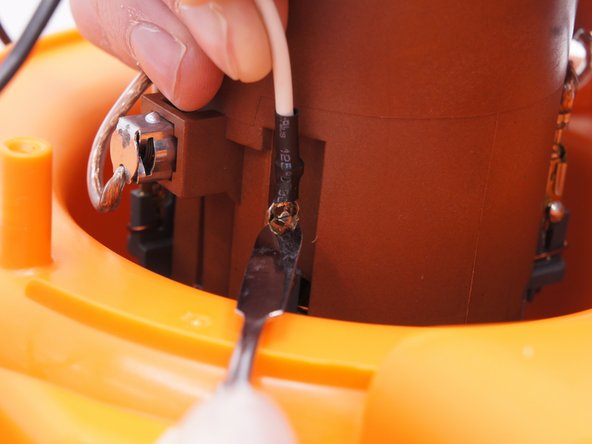
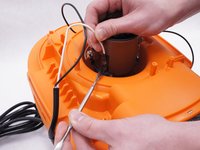
    4. ArmorAll AA255 Power Cord Replacement: passo 8, imagem 1 %32 ArmorAll AA255 Power Cord Replacement: passo 8, imagem 2 %32
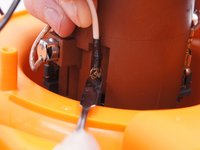
      • Detach the white wire from the motor by pulling upwards on the wire as you depress the small metal tab on the connector with a nylon spudger.

      • When working with electronics, it's important to choose a tool that's ESD-safe to avoid accidental damage to the device. The regular black nylon spudger or a plastic opening tool should be used whenever possible.

      Pergunte ao FixBot

      Comentar

Conclusão

To reassemble your device, follow these instructions in reverse order.

Cancelar: não concluí este guia.

3 outras pessoas executaram este guia.

Equipe

IUPUI, Team 2-1, Baechle Spring 2016 Membro de IUPUI, Team 2-1, Baechle Spring 2016

IUPUI-BAECHLE-S16S2G1

4 Membros

Autoria de 10 guias

0Comentários do guia

Comentar

Visualizações:

Últimas 24 horas: 1

Últimos 7 dias: 13

Últimos 30 dias: 38

Ao todo: 1,544