Introdução
If your battery can't keep a charge or drains quickly, use this guide to remove and replace your battery.
O que você precisa
-
-
-
Flip the laptop over so the model stickers face the ceiling.
 Pergunte ao FixBot
-
-
-
Remove the two 3.5 mm Phillips #0 screws holding the cover in place.
-
Slide cover forward then carefully lift up.
-
-
-
-
Remove the two 5.5 mm Phillips #0 screws holding the battery in place.
-
-
-
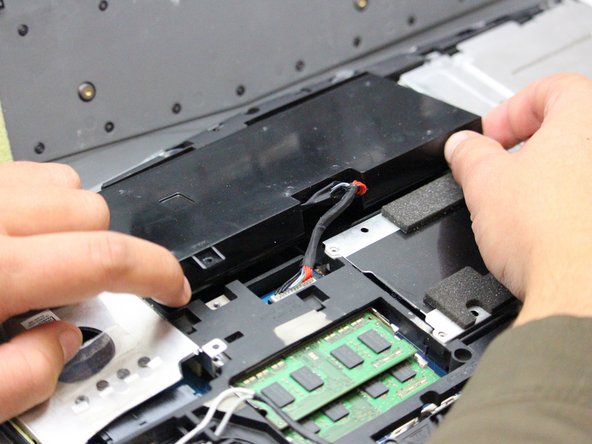
Carefully use the Plastic Opening Tool to unplug the battery.
-
Lift the battery up and out to remove.
-
-


To reassemble your device, follow these instructions in reverse order.
Cancelar: não concluí este guia.
3 outras pessoas executaram este guia.

Equipe

Oregon Institute of Technology, Team S1-G2, Lancaster Fall 2018 Membro de Oregon Institute of Technology, Team S1-G2, Lancaster Fall 2018
OIT-LANCASTER-F18S1G2
3 Membros
Autoria de 40 guias
