Ir para o conteúdo principal
Participe da comunidade de reparos - Criar conta

Alienware M14xR2 RAM Replacement

O que você precisa

  1. Alienware M14xR2 RAM Replacement, Battery: passo 1, imagem 1 %32
    • Turn the computer off.

    • Disconnect the charging cable from the computer.

    • Failure to unplug the charging cable could result in electric shock and serious injury.

    • Flip the computer upside down.

    Pergunte ao FixBot

    Comentar

  2. Alienware M14xR2 RAM Replacement: passo 2, imagem 1 %32 Alienware M14xR2 RAM Replacement: passo 2, imagem 2 %32 Alienware M14xR2 RAM Replacement: passo 2, imagem 3 %32
    • Loosen the two 6.35 mm size 1 Phillips screws on the back cover.

    • The two screws are spring loaded and will not separate from the cover.

    • Slide the back cover towards you and then lift upwards to remove.

    Pergunte ao FixBot

    Comentar

  3. Alienware M14xR2 RAM Replacement: passo 3, imagem 1 %32
    • Loosen the two 6.35 mm size 1 Philips screws attaching the battery to the laptop.

    • The two screws are clipped into the battery and will not detach.

    Pergunte ao FixBot

    Comentar

  4. Alienware M14xR2 RAM Replacement: passo 4, imagem 1 %32 Alienware M14xR2 RAM Replacement: passo 4, imagem 2 %32 Alienware M14xR2 RAM Replacement: passo 4, imagem 3 %32
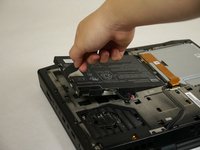
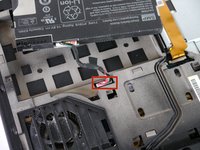
    • Pull up on the black tab on the battery to reveal the connection between the battery and laptop.

    • Pull up on the white connector to disconnect it from the laptop.

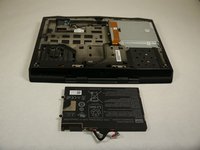
    • The battery is now free to remove from the laptop and can be set aside.

    Pergunte ao FixBot

    Comentar

  5. Alienware M14xR2 RAM Replacement, Optical Drive: passo 5, imagem 1 %32 Alienware M14xR2 RAM Replacement, Optical Drive: passo 5, imagem 2 %32 Alienware M14xR2 RAM Replacement, Optical Drive: passo 5, imagem 3 %32
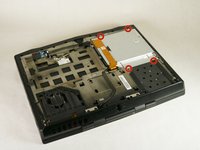
    • Unscrew the four 6.35 mm size 1 screws.

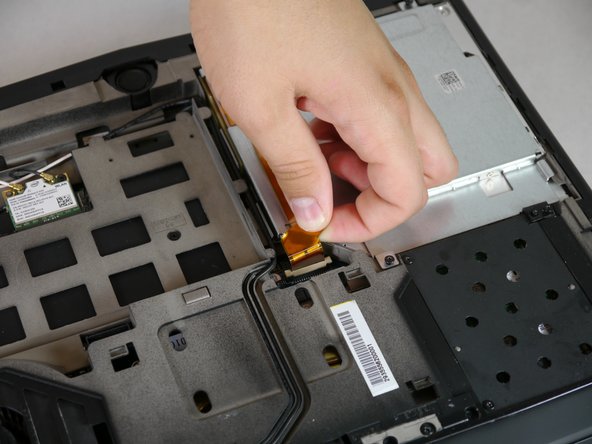
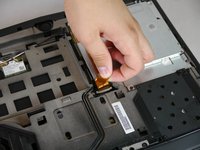
    • Pull up on the end of the orange tab to detach it from the white connector.

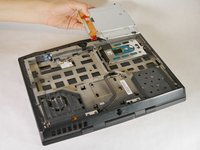
    • Lift the optical drive up and out of the laptop and set it aside.

    Pergunte ao FixBot

    Comentar

  6. Alienware M14xR2 RAM Replacement, RAM: passo 6, imagem 1 %32 Alienware M14xR2 RAM Replacement, RAM: passo 6, imagem 2 %32 Alienware M14xR2 RAM Replacement, RAM: passo 6, imagem 3 %32
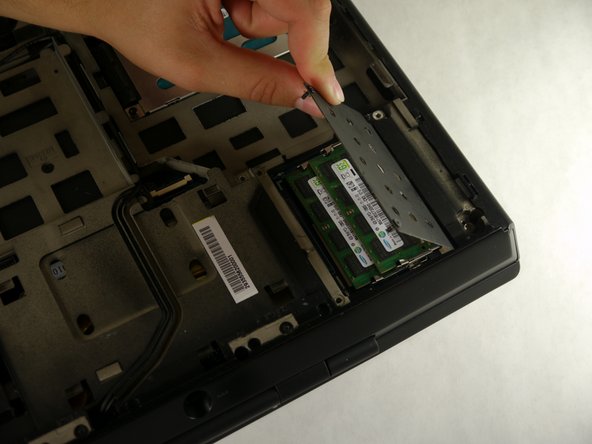
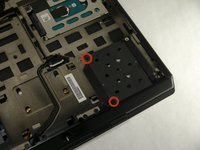
    • Unscrew the two 6.35 mm size 1 screws.

    • Lift up and remove the panel covering the RAM sticks.

    Pergunte ao FixBot

    Comentar

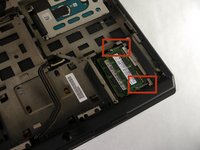
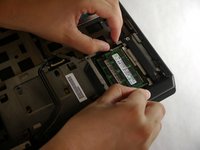
  7. Alienware M14xR2 RAM Replacement: passo 7, imagem 1 %32 Alienware M14xR2 RAM Replacement: passo 7, imagem 2 %32
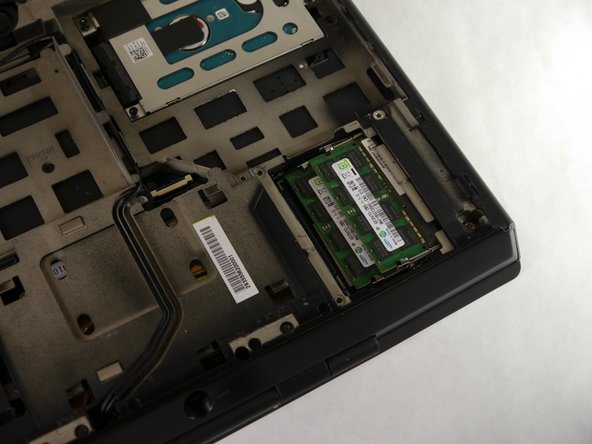
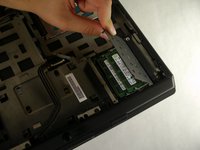
    • Push outward on both prongs that secure the RAM sticks in place.

    • The RAM sticks will rise upward when released from the prongs.

    Pergunte ao FixBot

    Comentar

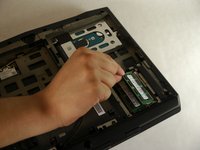
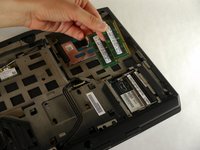
  8. Alienware M14xR2 RAM Replacement: passo 8, imagem 1 %32 Alienware M14xR2 RAM Replacement: passo 8, imagem 2 %32
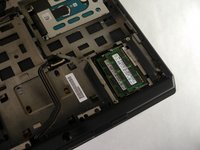
    • Grab and pull the RAM sticks up and out of their casing and set them aside.

    Pergunte ao FixBot

    Comentar

Conclusão

To reassemble your device, follow these instructions in reverse order.

Cancelar: não concluí este guia.

4 outras pessoas executaram este guia.

Eugene Park

Membro desde: 09/30/13

195 Reputação

Autoria de 1 guia

Equipe

Cal Poly, Team 13-4, Forte Fall 2013 Membro de Cal Poly, Team 13-4, Forte Fall 2013

CPSU-FORTE-F13S13G4

5 Membros

Autoria de 6 guias

3Comentários do guia

How max is the ram upgrade compatible with the m14x ifixit?!

doantuan85 - Responder Compartilhar

I meaned r1 model

doantuan85 - Responder Compartilhar

Yo, man! If my RAM slot is damaged somehow, is there any possibility to change/repair it? It won't detect a RAM card, keeps beeping 4 times at the start.

tasanov - Responder Compartilhar

Comentar

Visualizações:

Últimas 24 horas: 0

Últimos 7 dias: 5

Últimos 30 dias: 28

Ao todo: 2,700