Essa tradução foi gerada por um programa e ainda não foi revisada por uma pessoa. Falas essa língua? Dá uma olhada.
Introdução
Use este guia para substituir o SSD do seu ASUS EEE PC701SD-WHI004X. Antes de começar, certifique-se de desconectar o laptop de todas as fontes de energia. Siga este guia caso os arquivos estejam sendo corrompidos ou se o sistema operacional não carregar ao ligar o seu PC.
O que você precisa
-
-
-
Vire o laptop e você verá duas linguetas de travamento da bateria.
-
Deslize a lingueta de travamento da direita para a direita. O ponto laranja deve estar visível. Esta lingueta ficará travada na posição aberta.
 Pergunte ao FixBot
-
-
-
Enquanto segura a aba esquerda para a esquerda, deslize suavemente a bateria para fora do notebook.
-
-
-
-
-
-
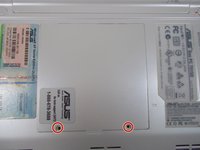
Remova os dois parafusos Phillips #1 de 2,5 mm.
-
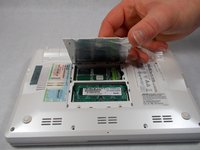
Remova delicadamente o painel traseiro levantando a aba. Isso exporá o SSD.
-
-
-
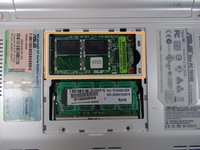
Desparafuse os dois parafusos Phillips #0 de 2,0 mm.
-
-
-
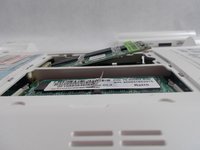
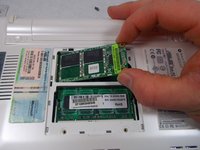
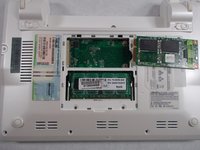
O SSD agora deve saltar para cima.
-
Segurando as laterais do SSD, puxe-o suavemente para fora no ângulo em que ele se encontra com o dispositivo.
-
-




Cancelar: não concluí este guia.
Uma outra pessoa concluiu este guia.

Equipe

UMass Dartmouth, Team S2-G8, Isaacson Spring 2017 Membro de UMass Dartmouth, Team S2-G8, Isaacson Spring 2017
UMASSD-ISAACSON-S17S2G8
3 Membros
Autoria de 60 guias
