Essa tradução foi gerada por um programa e ainda não foi revisada por uma pessoa. Falas essa língua? Dá uma olhada.

Substituição da carcaça externa do APS Tech 101629

Patrick Meyer e 7 outros colaboradores
Última atualização em 14 de ago de 2026
Visualizações: 1,4 mil
Visualizar Estatísticas:
- Últimas 24 horas:
- 6
- Últimos 7 dias:
- 27
- Últimos 30 dias:
- 90
- Ao todo:
- 1.371
Comentários: 0
Ninguém deixou comentários sobre este guia. Você será o primeiro?
Go to guide commentsConcluído: 1 2
1 pessoa marcou este guia como "concluído". Será você o próximo?
2· pessoas marcaram este guia como "concluído". Incluindo você — ótimo trabalho!
Favorites: 1 2
1 pessoa favoritou (e se inscreveu) neste guia. Você será o próximo?
2 pessoas marcaram como favorito (e assinaram) este guia - incluindo você!
Introdução
Ir para o passo 1 ↓Este é um dos guias de desmontagem mais fáceis para este dispositivo. A carcaça é removida facilmente, mas isso invalidará qualquer garantia ainda existente sobre o dispositivo. A remoção da carcaça é necessária para acessar qualquer componente interno.
O que você precisa
Ferramentas


-
-
-
Retire todos os quatro pés de plástico da parte inferior da carcaça usando a ferramenta de abertura de iPod.
 Pergunte ao FixBot
-
-
-
Desaparafuse os quatro parafusos anteriormente cobertos pelos pés com uma chave Phillips #1.
-
-
-
Vire o dispositivo com o lado voltado para cima.
-
Deslize suavemente a carcaça para cima e retire-a do disco rígido.
-
-
-
Vire o dispositivo de cabeça para baixo novamente.
-
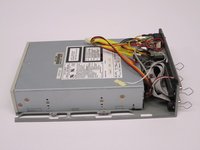
Com cuidado, separe a carcaça cinza inferior do dispositivo.
-
-
-
-
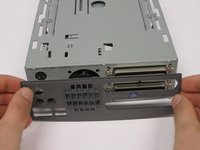
Gire o dispositivo de modo que a parte traseira fique virada para você.
-
Alavanque a carcaça traseira com cuidado para removê-la.
-
Quando a carcaça traseira for removida, o ventilador ficará solto.
-
-


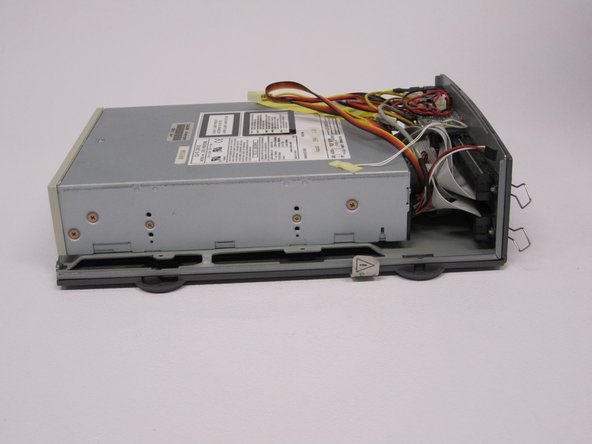
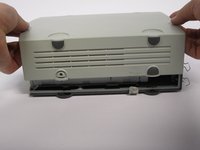


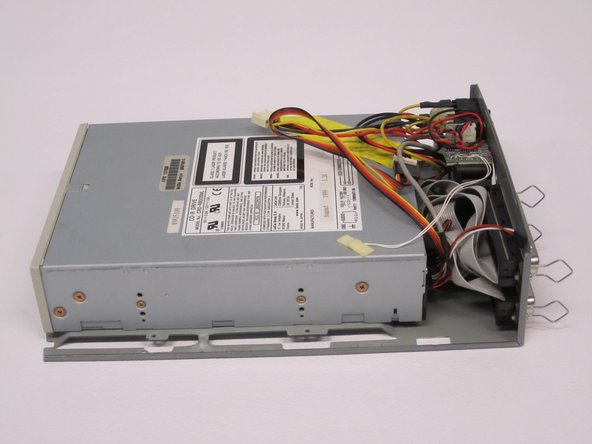
Para a remontagem de seu dispositivo, siga estas instruções na ordem inversa.
Cancelar: não concluí este guia.
Uma outra pessoa concluiu este guia.

Equipe

Cal Poly, Team 24-60, Amido Spring 2011 Membro de Cal Poly, Team 24-60, Amido Spring 2011
CPSU-AMIDO-S11S24G60
5 Membros
Autoria de 72 guias
