
Ir para o conteúdo principal

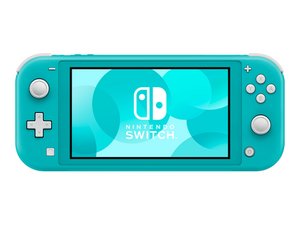
A more affordable, purely handheld version of the Nintendo Switch game console, with integrated Joy-Con controllers and a slightly smaller screen. Released September 20, 2019.

Replaced Game Card Reader and Still Not Reading Cards

I started getting the "game card could not be read" error and replaced card reader. Still having the same issue. All connections seem to be properly connected. I've tried multiple cards just to be sure it wasn't an issue with the game. I would love to hear any ideas on what else I might consider looking at to trouble shoot further.

Thanks

Responder a esta pergunta Também tenho esse problema

Esta é uma boa pergunta?

Pontuação 1
Adicionar um comentário

1 resposta

I've seen this happen many times, especially with the Switch Lite. With the back metal cover removed, gently press down on the clip area where the game card slot connects. Then insert a game and see if the system recognizes it.

Esta resposta foi útil?

Pontuação 0

3 comentários:

Hi! Just to add:

Try to clean the game card reader with isopropyl alcohol as well. If both failed, then please replace the game card reader! You can follow this guide: Nintendo Switch Lite Motherboard Replacement (till step 16) remove the heatsink and then the game card reader! If you need a more specific guide, please let us know!

por

Unfortunatley that didn't seem to change anything. I have double checked to make sure all ribbons are properly connected and tried both the original and the new card reader to double check.

por

Maybe the replacement part is faulty as well. I would try another one and see how it goes. Usually this is really related to the reader..

por

Adicionar um comentário

Adicionar a sua resposta

Runtus_Maximus será eternamente grato(a).
Visualizações:

Últimas 24 horas: 3

Últimos 7 dias: 14

Últimos 30 dias: 67

Ao todo: 174