Ir para o conteúdo principal
Participe da comunidade de reparos - Criar conta

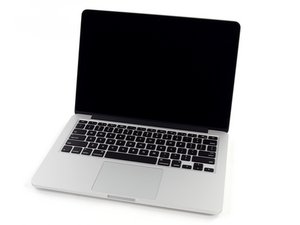
Model A1502 / 2.6 GHz (Turbo Boost up to 3.1 GHz) or 2.8 GHz (Turbo Boost up to 3.3 GHz) dual-core Intel Core i7 processor with 4MB shared L3 cache.

How to diagnose high Kernel_task

I have a mid 2014 Macbook pro. It will not turn on if i just press the power button I must hold it for a while until the apple logo is on and then once it it is on it is very slow and the kernel task is at 240% right from the start up at idle.

I have; reset the SMC and the NVRAM, reinstalled a new OS with a different SSD and downloaded TG Pro to see if the fans and the temp sensors are working.

Block Image
Block Image

Does anyone have some more suggestions as to diagnose my problem? I want to replace the logic board as a last resort.

Respondido! Ver a resposta Também tenho esse problema

Esta é uma boa pergunta?

Pontuação 0
2 comentários

Let see if you can get the onboard diagnostics to give us an error code. Restart your system and press the D key. Let us know what you discovered.

por

Hi, thanks i did it and there were no issues found. Reference code: ADP000

por

Adicionar um comentário

2 respostas

Solução escolhida

Hi thank you for your help Dan I ended up replacing the logic board and now it works great now! Thanks!

Esta resposta foi útil?

Pontuação 0
Adicionar um comentário

What I find curious is the fan is not running beyond normal. Most of the time when I see Kernel_Task running this high the systems SMC has encountered a sensor error and the fan is running at a high RPM as well as the SMC goes into Safe Mode lowering the CPU’s clock (very high Kernel_Task).

At this point I’m thinking you have a malware infection. Do you have an anti-virus/anti-malware app installed? Does it have the latest definitions?

Esta resposta foi útil?

Pontuação 0

2 comentários:

Yeah that’s what I was wondering too because everyone said their fan was running super high and mine is not. No I don’t have any is there any you recommend some to get it off. Do you think the malware is on the logic board because I swapped the SSD with a new OS?

por

The source of your OS installer would be one place something could mess things up. So far I haven't seen anyone that bold. I only access Apples servers for OS's. I have setup bootable OS installers, I also make sure my OS & apps are kept current with their maintenance releases. I'm also careful what I download.

As for I use to keep my systems safe I have three (I know paranoid)! I use Drive Genius for its Malware scan, I also use MalwareBites and Intego.

If you have a good backup wiping the drive and re-installing the OS afresh would be a good idea. I would stick with Mojave as the highest version right now.

por

Adicionar um comentário

Adicionar a sua resposta

Marco Robles será eternamente grato(a).
Visualizações:

Últimas 24 horas: 2

Últimos 7 dias: 6

Últimos 30 dias: 7

Ao todo: 408
