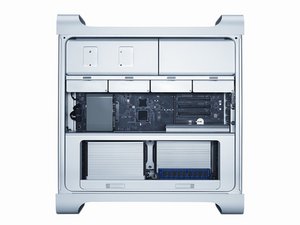

PCIe slots not working
I have a Mac Pro 2012 5,1. When I upgraded to Sierra a couple years ago it seems PCIe slots 3 & 4 stopped working. I later went to High Sierra and still those slots are not working. How can I fix this?
Esta é uma boa pergunta?
I have a Mac Pro 2012 5,1. When I upgraded to Sierra a couple years ago it seems PCIe slots 3 & 4 stopped working. I later went to High Sierra and still those slots are not working. How can I fix this?
Esta é uma boa pergunta?
Boot from your original system installation DVD. Now see if the slots work. If so then you know it’s a software issue. If the issue persists you know it’s a hardware issue. This is one I have not see. I would blow it out very well with canned air, these things suck in a lot of dirt.
If the slots work with the DVD, it’s a software issue. Now start up from your - wait a minute -Just how did you get it to High Sierra in the first place? When you went to Sierra did you do the firmware update?
Esta resposta foi útil?
I have no boot up DVD. It did not come with one. It wasn't purchased from Mac, but through a third party, B&H Photo.
I am guessing it's a firmware issue. As I recall now, when I was updating to Sierra we lost power. I went back to the update from start again the next day.
When you do the firmware update in Sierra, it shuts down on its own. You then have to press and hold the power on button for several seconds until it starts flashing rapidly. You will then get a long tone and an oval progress bar will appear on the screen. That is your firmware being updated. If this has not happened it wouldn't hurt to try it.
Últimas 24 horas: 0
Últimos 7 dias: 0
Últimos 30 dias: 4
Ao todo: 395