
Ir para o conteúdo principal
Participe da comunidade de reparos - Criar conta

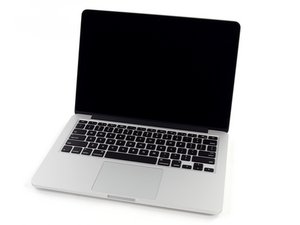
Model A1502 / 2.6 GHz (Turbo Boost up to 3.1 GHz) or 2.8 GHz (Turbo Boost up to 3.3 GHz) dual-core Intel Core i7 processor with 4MB shared L3 cache.

I have problem with my screen

Hi, I need some help please.

I have problem with my screen. it’s a back light issue and if you put a strong light behind the screen is working perfect. I recently changed the LVDS cable but I have the same problem!! Does anybody know what to do??

I know that if you change the full screen is very expensive.

Update (07/07/2019)

Is A1502 Mac Pro retina late 2014

Responder a esta pergunta Também tenho esse problema

Esta é uma boa pergunta?

Pontuação 0
2 comentários

Why did you replace the LVDS cable?

Did you have a liquid spill or sit your system down on a wet surface?

por

No never, before the problem the laptop I have it in a small plastic chair and was playing in YouTube children’s baby song. The next morning I open the laptop and then was a black screen but the music was on

por

Adicionar um comentário

2 respostas

Pergunta mais útil

At this point I’m not sure if your logic board has a problem or not. If you had a liquid spill you likely damaged the Inverting Converter Linear Technology LT3957 B29255 and/or its support components. I’ve circled the chip area in question on the back side of the logic board. Here’s the Fixit guide you’ll need to follow MacBook Pro 13" Retina Display Mid 2014 Logic Board Replacement

Block Image

You could also have damaged the LVDS connector on the logic board by spillage as well.

While rare the LVDS connector within the display assembly could be damaged. As you replaced the cable you could have damaged it or the logic board connector.

Take some pictures of anything that looks off and post them here Adicionar imagens a uma pergunta já existente

Imagem de iFixit

Guia

Adicionar imagens a uma pergunta já existente

Nível de dificuldade:

Muito fácil

2 - 5 minutes

Imagem de MacBook Pro 13" Retina Display Mid 2014 Logic Board

Guia

MacBook Pro 13" Retina Display Mid 2014 Logic Board Replacement

Nível de dificuldade:

Moderado

40 minutes - 1 hour

Esta resposta foi útil?

Pontuação 1
Adicionar um comentário

@skarseras On top of the fact the screen itself is very expensive, it might as well not be the solution to a no backlight issue.

As @danj pointed out it might be a logic board issue, but I would not recommend buying and replacing the logic board either unless one can rule out a bad backlight within the assembly itself.

Any DIY solution may turn out to be potentially useless and very expensive. Your best option in my opinion is finding a reputable lab experienced in component level repairs that will be able to verify what the problem exactly is and take care of the repair if the logic board is faulty.

Esta resposta foi útil?

Pontuação 1
Adicionar um comentário

Adicionar a sua resposta

Savvas Karseras será eternamente grato(a).
Visualizações:

Últimas 24 horas: 0

Últimos 7 dias: 0

Últimos 30 dias: 5

Ao todo: 146
