
Ir para o conteúdo principal
Participe da comunidade de reparos - Criar conta

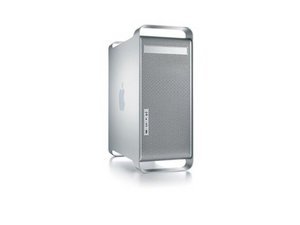
The late 2005 Power Mac G5 was introduced in October, and discontinued in August the next year. There were three configuration options, one dual core processor at 2.0 GHz, one dual core at 2.3 GHz with model number A1177, and one dual core dual processor (quad core) at 2.5 GHz.

Will not boot to OS

My power mac A1117 powers on, fans run but no boot tone and no image on screen. Removed RAM, Removed Graphics card, Removed Battery, removed hard drive,Pressed switch in on motherboard for 30 secs. TNA. Any ideas?

Respondido! Ver a resposta Também tenho esse problema

Esta é uma boa pergunta?

Pontuação -1
1 comentário

If you shine a flashlight on the screen can you see anything? Also have you tried a PRAM reset?

por

Adicionar um comentário

1 resposta

Solução escolhida

To reset the SMU on a Power Mac G5 (Late 2005) computer, either use the steps listed above for the Power Mac G5 (Late 2004) or:

Turn off the computer by selecting Shut Down from the Apple menu or by holding the power button until the computer turns off.

Open and remove both the metallic outer door and the inner plastic air deflector.

Remove the fan assembly immediately to the left of the processor module.

Press the SMU reset button on the logic board.

Replace the fan assembly, air deflector, and outer door.

Turn on the computer.

The SMU reset button is located underneath the lower bank of system memory slots.

Next look at the diagnostic lights on the logic board and tell us what they do when you try to start.

Esta resposta foi útil?

Pontuação 3

2 comentários:

There are 2 lights on one red and one amber. I have tried an SMU reset. (between 2nd and 3rd dim slot)

por

Which lights?

por

Adicionar um comentário

Adicionar a sua resposta

david stather será eternamente grato(a).
Visualizações:

Últimas 24 horas: 0

Últimos 7 dias: 1

Últimos 30 dias: 3

Ao todo: 1,130