
Ir para o conteúdo principal

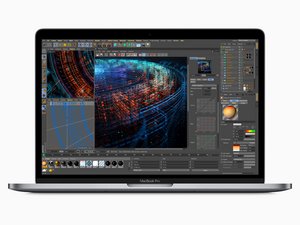
Released in July 2018, the 15" MacBook Pro, model A1990, features a 15.4 inch LED-Backlight display with True Tone technology, TouchID, and up to 6 Core i9 Processor.

How to reset SMC on the 2018 MBP?

Instructions given on apple website at the link for T2 equipped devices are simply not working

https://support.apple.com/en-us/HT201295

The device simply boots up on attempting any of the 2 given combinations.

Please help

Responder a esta pergunta Também tenho esse problema

Esta é uma boa pergunta?

Pontuação 0
1 comentário

Can you explain what you are trying to reset. The more detail the better.

por

Adicionar um comentário

4 respostas

Pergunta mais útil

Here’s a guide on how to reset the SMC and the PRAM on your MBP. Hopefully it will work for you. If not, maybe @danj can assist you better if you provide more detail.

How to reset the SMC, PRAM and NVRAM on a MacBook Pro Touch Bar 2018

Esta resposta foi útil?

Pontuação 1

2 comentários:

Thank you Aaron. Yes, I attempted that, but the systems always boots up during the procedure, actually within 2-3 seconds of attempting any of the 2 alternatives

por

Okay, hopefully Dan will be able to help you further. Sorry about that!

por

Adicionar um comentário

Press Shift + control + option button with power at the same time and release after 60 seconds altogether and continuously watch the light on the magsafe it will change color of led for a short duration of time indicates SMC reset has been successfully done

Esta resposta foi útil?

Pontuação 0

11 comentários:

Hello, and thank you for the kind reply.

This may work on older models, not the new 2018 with the T2 chip.

Also, And these models do not have a MagSafe.

por

Is your battery detachable or not or with touch ID

por

Systems with a T2 chip are very different than the older systems. Some settings are just not resettable. Depending on what the issue is we may need to use a different way.

por

Yes, I realise that systems with T2 are different, and therefore requiring a different procedure for the reset. I followed the instructions on apple page for systems with T2, that Aaron also posted. but this is not working. the system simply boots up 2-3 seconds when attempting any of the 2 alternatives. That does not sound right

por

SMS - What are you trying to re-set?

por

Exibir mais 6 comentários

Adicionar um comentário

Shift+control+option with power button

Esta resposta foi útil?

Pontuação 0
Adicionar um comentário

Aaron, I did this but it won’t restart. It was having issues charging. It just had a blinking red dead battery in the middle of the screen even though it was plugged in. I reset the SMC... and it never turned on and now doesn’t respond at all, I don’t even have the blinking battery anymore.

Esta resposta foi útil?

Pontuação 0

1 comentário:

@bpress - You really need to create a fresh question here with all of your systems details.

por

Adicionar um comentário

Adicionar a sua resposta

SMS será eternamente grato(a).
Visualizações:

Últimas 24 horas: 0

Últimos 7 dias: 0

Últimos 30 dias: 12

Ao todo: 2,275

