
Ir para o conteúdo principal
Participe da comunidade de reparos - Criar conta

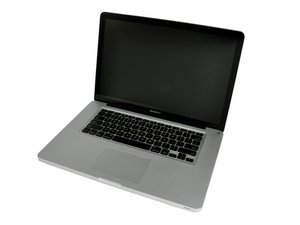
Liberado em abril de 2010 com as opções de processador i5 de 2,4, 2,53 GHz Core ou i7 de 2,66, 2,8 GHz Core

I can't log in to my laptop after loading Sierra

Turn on, get log on screen, type in password, log in screen comes back up, start typing password again and keyboard and mouse freeze. I can't log on!

Respondido! Ver a resposta Também tenho esse problema

Esta é uma boa pergunta?

Pontuação 0
Adicionar um comentário

2 respostas

Solução escolhida

I suspect your HD has some corruption or the HD SATA cable is failing. Odd behaviors like this often happen when the system tries opening a lot of files at once after an upgrade.

The best thing here is to find a second Mac system which you can connect in Target Disk Mode so you can salvage anything important or create a backup. Once done, you can try to reformat the drive from the other system and then reinstall the OS and restore your backup.

Mac startup key combinations

Let us know how it goes so we can guide you which way to go next.

Esta resposta foi útil?

Pontuação 2
Adicionar um comentário
Pergunta mais útil

Start the laptop up in Safe Mode.

Hold down "SHIFT" while turning on the computer from an "powered off" state.

If you can login in safe mode, Follow Dan's advise and backup your stuff, then format and reinstall the OS from scratch.

This will require a bootable thumb drive installer for Sierra or High Sierra.

Esta resposta foi útil?

Pontuação 2

15 comentários:

@avanteguarde - If he has a second Mac no need for the Installer thumb drive as he can do it from the other Mac. Think of it this way the OP's Mac is nothing more than an external HD from the controlling Mac system in Target Disk Mode. If you see it that way the steps to make an external disk bootable are the same!

por

@danj he should upgrade/install Sierra/High Sierra natively on the Mac he intends to use. There is a very important EFI firmware update that only installs on a proper install.

por

Thats only true if he upgrades to High Sierra at this point. Reread the title "after loading Sierra"

I'm assuming he is sticking with Sierra for now and during that upgrade process to Sierra the firmware has already been upgraded. So we don't need to worry here.

por

@danj Sierra also updates the EFI firmware.

por

True! But its done BEFORE the user gets the OS back to use: When the person is greeted with the User Login screen or Desktop.

So bottomline its done during the OS upgrade not after!

What is likely happening is the Indexer task is running wild as the drive is highly fragmented (HDD setup) or the HD SATA cable is breaking down (HDD or SSD setup)

por

Exibir mais 10 comentários

Adicionar um comentário

Adicionar a sua resposta

Larry Wolff será eternamente grato(a).
Visualizações:

Últimas 24 horas: 0

Últimos 7 dias: 0

Últimos 30 dias: 0

Ao todo: 162

