
Ir para o conteúdo principal
Participe da comunidade de reparos - Criar conta

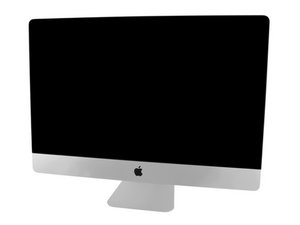
Model A1419 / EMC 3070 / Mid 2017 / 3.4, 3.5 or 3.8 GHz Core i5 or 4.2 GHz Core i7 Kaby Lake Processor (ID iMac18,3) / Retina 5K display. Refer to the older iMac Intel 27" Retina 5K Display (Late 2014 & 2015) guides as the system is very similar.

My iMac randomly powers down

My 2017 27” iMac randomly powers down. One month after purchase it didn’t boot at all so apple replaced power supply after which it intermittently powers down without any sound or notice and at any time. Sometimes while booting up. A few days back apple changed the logicboard but that also didn’t solve the problem. I made a video of this issue https://youtu.be/uCr92WGQa0M

Any suggestions what could be wrong?

Respondido! Ver a resposta Também tenho esse problema

Esta é uma boa pergunta?

Pontuação 1
Adicionar um comentário

2 respostas

Solução escolhida

This time around go to the Apple store and ask for a complete swap of your device.

This is not acceptable for this kind of expensive machines.

Esta resposta foi útil?

Pontuação 2

4 comentários:

They don’t want to do it. Their service is very poor

por

That's odd,

Did you go to an Apple Store or to a reseller ?

Resellers sometimes refuse this kind of things but not a Store.

You have to convince them that you will no go away until they do something.

I've seen that sometimes will do something for you if you insit enough so go to an Apple store and "cry" a little bit, usually thiçs works when there is a lot of customers in the Store ;) its all about selling

por

yeah I went to an Apple store. I did "cry" last time but may be more next time :) For sure I'll be talking to a manager next time

por

Finally got a swap after I took the device for repair the fourth time.

por

Adicionar um comentário

Just for dotting the i's and crossing the t's check your outlets wiring.

Make sure the black wire is tied to the brass screw and the white is on the silver, also check the ground wire is attached as well. Then go to your fuse/beaker panel and locate the fuse/breaker is it 20 Amp's? Then check the panels grounding connection to the physical ground making sure its all in good shape. A common problem is the grounding rod corrodes up which makes it useless.

Esta resposta foi útil?

Pontuação 1

6 comentários:

Thanks for the detailed answer @danj but I live in an apartment building so can't check all of these. I can run a few checks but I know other people in my building also own iMac and no one ever complained about such a problem

por

It's possible your units wiring if bad Vs your neighbors. You could get an outlet tester at the hardware store or online to at least be sure.

por

Yeah I think I'll check the outlet. Can outlet issue cause iMac to shutdown even after using a UPS? I bought a UPS recently and there's no change in power down pattern.

por

It depends on the type of UPS you got. There are two kinds one that kicks in when the power goes out (cheaper) and the ones that fill in for dirty power (more expensive).

A loose contact or mis-wired outlet or even bad ground can confuse your UPS. I would also try a different power cord that feeds your iMac.

I use the APC BackUPS Pro as my power in my part of the city is quite bad. I get surges, brownouts & my lights flicker all three conditions of poor power.

Sometimes we jump over the AC power aspect of the puzzle. Thats not to say your issue is AC power here, it still could be within the computer, we're just making sure the external influencers are not the problem.

por

Yeah I also use APC backup pro and it has a building wiring fault indicator which didn’t light up ever. Also UPS never makes any sound before/after shutdown. In last repair with apple I left my power cord with them and told them to check if it’s a power cord problem but they replaced logicboard

por

Exibir mais 1 comentário

Adicionar um comentário

Adicionar a sua resposta

[deleted] será eternamente grato(a).
Visualizações:

Últimas 24 horas: 1

Últimos 7 dias: 4

Últimos 30 dias: 19

Ao todo: 780
