Ir para o conteúdo principal
Participe da comunidade de reparos - Criar conta

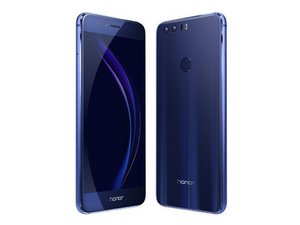
O Huawei Honor 8 é um smartphone Android lançado em 2016 que possui uma tela de 5,2 polegadas com resolução 1080p, 4 GB de RAM, sensores de câmera dupla de 12 MP, um sensor de impressão digital e uma porta USB Type-C. Modelo: FRD-L04.

How to replace power button on honor 8

I recently bought a replacement screen for my honor 8 after it was broken. I had changed it before with no issues other than my volume down didn't work but I was able to function without it. Now, I am not sure if the volume up or down works cause I can not even get the device to turn on. I can plug in the charger and the green circle pops up letting me know that it is charging, it's just not letting me turn the phone on. I think I might have ripped the ribbon that connects the motherboard. I would like to watch a tutorial on how to replace the part or a permanent fix that I can actually use since phone is not already turned on. (I can not download an app to change my settings.)

Respondido! Ver a resposta Também tenho esse problema

Esta é uma boa pergunta?

Pontuação 0
Adicionar um comentário

1 resposta

Solução escolhida

I went ahead and figured it out myself. I learned what I should have done from the beginning and what not to do and how to fix it from there. Now my phone works like a brand new phone...well it should after replacing almost everything on %#*@ thing.

Esta resposta foi útil?

Pontuação 0

1 comentário:

What was the problem?

I have the same thing myself after screen replacement, thinking it could be the power button flex that could be damage.

por

Adicionar um comentário

Adicionar a sua resposta

Jessica Washizaki será eternamente grato(a).
Visualizações:

Últimas 24 horas: 0

Últimos 7 dias: 1

Últimos 30 dias: 21

Ao todo: 1,568