Ir para o conteúdo principal
Participe da comunidade de reparos - Criar conta

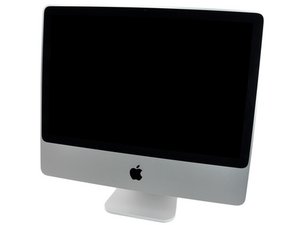
Model A1224 / Mid 2007 and Early 2008 / 2, 2.4, or 2.66 GHz Core 2 Duo processor

White screen and won't startup?

My mac just froze and when I rebooted it all I get is a white screen. I've tried all command shifts from reading online to no avail. What can I do to fix it? I'm thinking it's the hard drive but I need to get my files off of the current one before replacing. Thanks

Responder a esta pergunta Também tenho esse problema

Esta é uma boa pergunta?

Pontuação 0

3 comentários:

Can you give us the exact model here. If you look on the bottom of the foot stand you'll fine the systems serial number, plug it into here: EveryMac - Lookup, then paste the systems URL here for us to see.

Once we know what you have we might be able to help you fix your system or how to remove your drive so you can salvage your files.

por

Model is A1224. If I let it sit with the white screen a file with a question mark will appear. Thanks for helping!

por

Adicionar um comentário

2 respostas

If it's the hard drive that's faulty, then you would see a flashing file on the screen, a few minutes after start up.

More info would help.

Esta resposta foi útil?

Pontuação 0

9 comentários:

Lets wait until Alex gives us more info before throwing pasta at the wall to see if it sticks ;-}

por

It only sticks if it's done right.

por

The problem with the wall spaghetti test is that the stickiness of pasta does not indicate when it is done. If your pasta sticks to the wall it simply means it is sticky. When you boil pasta it cooks from the outside in. The outer surface of the pasta can start to get sticky before the inner part is tender enough. So, your spaghetti or other pasta can stick to the wall but still be too crunchy. If you throw some at the wall and find that it sticks, then you try some and it is perfectly al dente, it's called luck. That is, it is a coincidence that the pasta stuck and happens to be ready. On the other hand, it may stick to the wall and already be too mushy. The test is simply unreliable.

por

Also you do not ALWAYS get a flashing folder on a bad hard drive.

por

Sometimes, when people debunk this myth, they overstate it. For example, some cooks say that once spaghetti sticks to the wall, it is always overcooked and mushy. In reality, there are a number of factors that determine whether it will stick, not only the degree of doneness of the pasta. The surface texture of the wall certainly matters a lot. Also important is how much of the surface area of the pasta makes contact with the wall. And, how long must the pasta stick to the wall? Should it cling for a half a second and fall off, or should it stick like glue? What about the force with which you throw it? Since you cannot control accurately for all these factors, and the instruction itself gives no standard or reliable guidelines, we may start to realize that this test is just plain silly.

por

Exibir mais 4 comentários

Adicionar um comentário

Sorry for not responding sooner here you got lost in the shuffle.

I would first try if you can boot up in Safe Mode. Here's an Apple T/N that explains it: Try safe mode if your Mac doesn‘t finish starting up.

If that fails I think your drive may have a deeper issue here. Do you have access to a second Mac system which you can either connect to your iMac in Target Disk Mode or can create a bootable USB thumb drive so try booting it up that way? To see if we can get the system to boot up and fix your drive (after copying off your important files). Here is a Apple T/N that goes over how to setup Target Disk Mode: Share files between two computers with target disk mode & here is how to setup a bootable USB drive: Create an emergency Mac OS X boot disk from a USB flash drive

The other alternative here is to remove the drive from the system and then using this: Universal Drive Adapter which will allow you to connect your drive to a second Mac system. Here is the IFIXIT guide to pull the drive: iMac Intel 20" EMC 2133 and 2210 Hard Drive Replacement

Imagem de Turn your current hard drive into an external drive with this adapter.

Produto

Universal Drive Adapter

$34.99

Esta resposta foi útil?

Pontuação 0
Adicionar um comentário

Adicionar a sua resposta

Alex Ceccarelli será eternamente grato(a).
Visualizações:

Últimas 24 horas: 0

Últimos 7 dias: 2

Últimos 30 dias: 16

Ao todo: 374

