
Ir para o conteúdo principal
Participe da comunidade de reparos - Criar conta

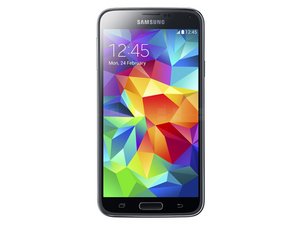
Samsung's 5th-generation Android-based Galaxy smartphone was released April 11, 2014. Improvements to the phone include a fingerprint scanner, updated camera, larger display, and water resistance. It is available in four different colors; black, blue, white, and copper.

Difficult situation data transfer with broken USB port..

okay here we go, I have a galaxy s5 from t-mobile then I rooted and put a custom ROM on. I went to flash another rom and it soft brick me. now here's my dilemma, my USB port is also broken so I've been hard wiring it to keep the battery charged. now I'm trying to figure out how I can still connect it to a computer. now I'm thinking that in theory if I connect the two data transfer cables from the USB cable the 2data transfer wires as I did with the positive and negative for the battery that it should work? I mean again it's all in theory, so if anyone has any thoughts or comments or maybe some really good advice, that'd be badass.

Responder a esta pergunta Também tenho esse problema

Esta é uma boa pergunta?

Pontuação 0
Adicionar um comentário

1 resposta

A computer USB port is powered. So you can send commands to the phone while it is being charged.

If you can still get into TWRP (I am assuming that is what you use for a recovery), you can send ADB commands to to the phone.

If that is the case, put a MicroSD into the phone, and send ADB commands to copy your data from internal storage to external storage.

Esta resposta foi útil?

Pontuação 0
Adicionar um comentário

Adicionar a sua resposta

Jason será eternamente grato(a).
Visualizações:

Últimas 24 horas: 0

Últimos 7 dias: 1

Últimos 30 dias: 3

Ao todo: 1,200
