
Ir para o conteúdo principal
Participe da comunidade de reparos - Criar conta

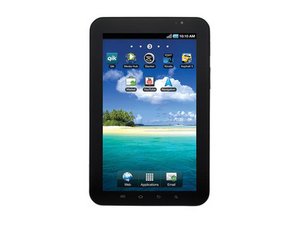
Repair information for the 7" Android tablet by Samsung. Fixing this device is straightforward, and requires only common tools. The Samsung Galaxy Tab is an Android-based tablet computer produced by Samsung. The 7-inch Samsung Galaxy Tab is the first model in the series. It was introduced on September 2, 2010

Help... Display is messed up.

So I followed this guide on how to boot everything off the Sd-card.

http://rootzwiki.com/topic/33743-ext...r...

It was a pain in the butt getting the on board sdcard unglued from the board.

After putting everything back together the screen started showing up like this.

http://i41.tinypic.com/fz981w.jpg

I noticed that some of the gold on the display cable was missing, I'm thinking this is causing the display issue but I'm not totally sure. Is there anything I can do to fix the display issue?

http://i44.tinypic.com/30sbms1.jpg

Respondido! Ver a resposta Também tenho esse problema

Esta é uma boa pergunta?

Pontuação -1
Adicionar um comentário

2 respostas

Solução escolhida

That is definitely a damaged LCD or LCD cable. I've replaced the Digitizer on a few of these but I cant remember for sure if the LCD cable can be unplugged from the LCD or not. If its attached permanently then you could need to replace the LCD. If its the connector on the motherboard that is damaged then I would say it would be easier to replace the device. You could maybe find the part and re-solder it but it would be a very tiny soldering job.

Hope this helps!

Esta resposta foi útil?

Pontuação 1

1 comentário:

How do I tell if it's the LCD itself or the LCD cable?

por

Adicionar um comentário

does anyone know how to fix a samsung monitor that goes all random colours and misty?

Esta resposta foi útil?

Pontuação 0
Adicionar um comentário

Adicionar a sua resposta

Dan será eternamente grato(a).
Visualizações:

Últimas 24 horas: 0

Últimos 7 dias: 0

Últimos 30 dias: 3

Ao todo: 2,728