Ir para o conteúdo principal

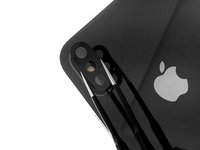
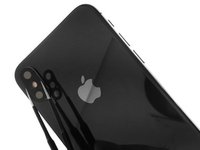
iPhone XS Rear Camera Lens Cover Replacment

  1. iPhone XS Rear Camera Lens Cover Replacment, Rear Camera Lens Cover: passo 1, imagem 1 %32
    • First, remove the shards of glass from the broken camera lens.

  2. iPhone XS Rear Camera Lens Cover Replacment: passo 2, imagem 1 %32 iPhone XS Rear Camera Lens Cover Replacment: passo 2, imagem 2 %32
    • Once the glass shards from the camera lens have been removed, thoroughly clean the camera bezel (the raised metal part around the camera).

  3. iPhone XS Rear Camera Lens Cover Replacment: passo 3, imagem 1 %32 iPhone XS Rear Camera Lens Cover Replacment: passo 3, imagem 2 %32
    • Stick some double sided tape or two dots of glue on the new iPhone X rear camera cover.

    • Use tweezers to position the glass lens in its housing.

  4. iPhone XS Rear Camera Lens Cover Replacment: passo 4, imagem 1 %32
    • Lightly press down on the lens for a few seconds to stick it down correctly.

    • You can test your rear camera to make sure your photos and videos have the right definition.

Conclusão

Congratulations ! You have repaired your iPhone XS, the lens is replaced, clean it with a microfiber cloth. You can now take photos and film normally.

5 outras pessoas executaram este guia.

Um agradecimento especial a esses tradutores:

fr en

100%

Estes tradutores estão nos ajudando a consertar o mundo! Quer contribuir?
Comece a traduzir ›

cPix

Membro desde: 06/14/16

4.194 Reputação

Autoria de 8 guias

1Comentário do guia

Can someone tell me where I should look for a replacement?

Nathanael H. W. - Responder

Comentar

Visualizações:

Últimas 24 horas: 7

Últimos 7 dias: 31

Últimos 30 dias: 123

Ao todo: 6,343