Introdução
Use this guide to replace the vibrator motor that provides vibration notifications of incoming calls.
O que você precisa
-
-
Power off your iPhone before beginning disassembly.
-
Your iPhone 4 rear cover may have either two #000 Phillips screws or Apple's 5-Point "Pentalobe" screws (second image). Check which screws you have, and ensure you also have the correct screwdriver in order to remove them.
-
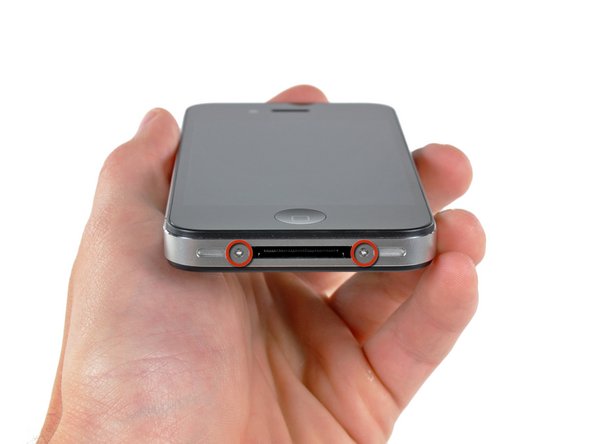
Remove the two 3.6 mm Pentalobe or Phillips #000 screws next to the dock connector.
-
-
-
-
Remove the single 2.5 mm Phillips screw securing the battery connector to the logic board.
-
-
-
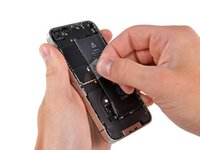
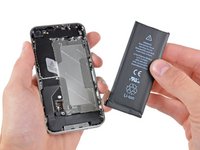
Use the clear plastic pull tab to gently lift the battery out of the iPhone.
-
If there's any alcohol solution remaining in the phone, carefully wipe it off or allow it to air dry before installing your new battery.
-
Before reconnecting the battery connector, be sure the contact clip (shown in red) is properly positioned next to the battery connector.
-
-
-
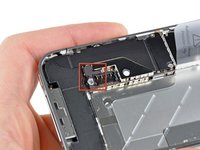
Remove the following two screws securing the vibrator to the inner frame:
-
One 6 mm Phillips
-
One 1.4 mm Phillips
-




To reassemble your device, follow these instructions in reverse order.
Cancelar: não concluí este guia.
133 outras pessoas executaram este guia.
Documentos anexados

6Comentários do guia
I did it without removing the battery. It was no problem at all, but it might help cause you don't the issue with the connector.
yep me too... removing the battery isnt nessecary.
thx for this helpfull guide!! was a peace of cake
I agree with marclaudi. you can go from page 1 to page 3 since the battery can stay in the phone and still be able to remove the motor
Easy breezy!! Don't need to remove battery! Just turn the phone off first. Took about 5 mins.
Very helpful! Replaced mine in under 5 min without removing the battery. Thanks!
