Introdução
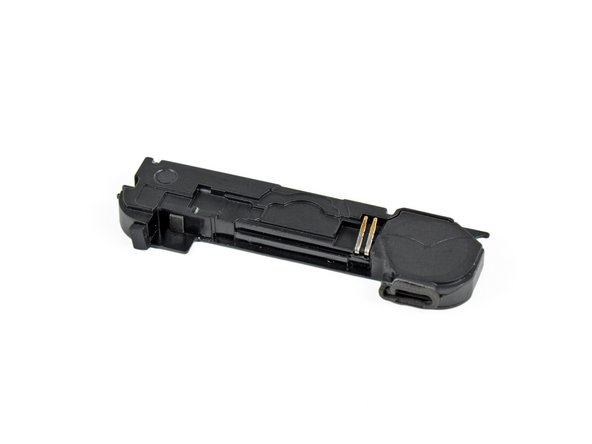
Use this guide to replace a blown speaker enclosure closest to the bottom edge of the iPhone 4.
O que você precisa
-
-
Power off your iPhone before beginning disassembly.
-
Your iPhone 4 rear cover may have either two #000 Phillips screws or Apple's 5-Point "Pentalobe" screws (second image). Check which screws you have, and ensure you also have the correct screwdriver in order to remove them.
-
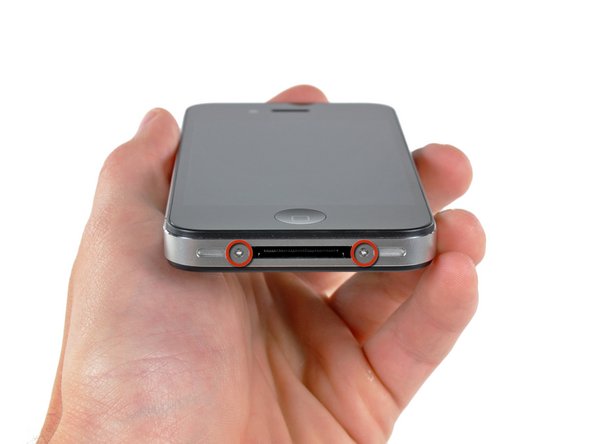
Remove the two 3.6 mm Pentalobe or Phillips #000 screws next to the dock connector.
-
-
-
Remove the single 2.5 mm Phillips screw securing the battery connector to the logic board.
-
-
-
-
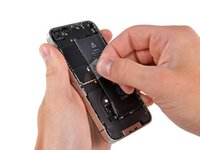
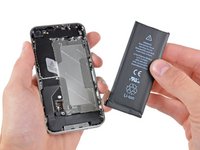
Use the clear plastic pull tab to gently lift the battery out of the iPhone.
-
If there's any alcohol solution remaining in the phone, carefully wipe it off or allow it to air dry before installing your new battery.
-
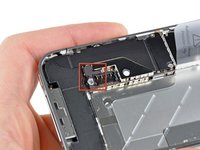
Before reconnecting the battery connector, be sure the contact clip (shown in red) is properly positioned next to the battery connector.
-
-
-
Remove the following two screws:
-
One 1.2 mm Phillips
-
One 1.6 mm Phillips
-
Remove the thin steel dock connector cable cover from the iPhone.
-
-
-
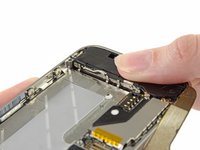
Remove the two Phillips screws securing the antenna to the speaker enclosure.
-
-
-
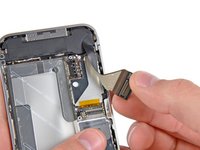
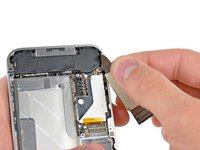
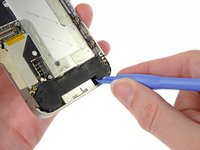
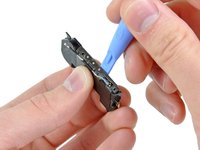
Starting near the cellular antenna cable, use the edge of a plastic opening tool to peel the antenna off the speaker enclosure. Make sure you insert the plastic opening tool under the plastic the antenna is mounted on, not the metal plate.
-
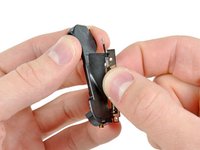
Continue peeling the cellular antenna off the speaker enclosure, being careful not to rip the gold bracket attached to one of its edges.
-
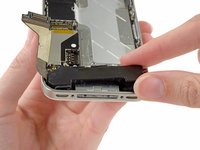
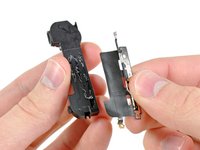
Remove the cellular antenna.
-








To reassemble your device, follow these instructions in reverse order.
To reassemble your device, follow these instructions in reverse order.
Cancelar: não concluí este guia.
179 outras pessoas executaram este guia.
Documentos anexados


7 comentários
ребята всё просто и понятно, глаза бояться руки делают! первый раз в жизни разбирал айфон ))) после сборки, всё окей :) процедура заняла 20 минут
Genius!
This is not a mere DIY guide but it is also an ethical handbook. You provide a boost to people's confidence, so that they can overcome their limits, as they are encouraged to overcome those technical barriers that huge companies (such as Apple) would like to be insurmountable. Furthermore, and maybe more important, you aim to reduce waste and excessive use of natural and human resources.
Thanks and Hurrah!
