Ir para o conteúdo principal

iPhone 14 Screen Protector Replacement

O que você precisa

  1. iPhone 14 Screen Protector Replacement, Screen Protector: passo 1, imagem 1 %32
    • Power the phone off.

  2. iPhone 14 Screen Protector Replacement: passo 2, imagem 1 %32 iPhone 14 Screen Protector Replacement: passo 2, imagem 2 %32
    • Remove the old screen protector.

  3. iPhone 14 Screen Protector Replacement: passo 3, imagem 1 %32
    • Clean the phone screen.

  4. iPhone 14 Screen Protector Replacement: passo 4, imagem 1 %32
    • Remove any dust with a dust removal sticker.

  5. iPhone 14 Screen Protector Replacement: passo 5, imagem 1 %32
    • Peel off the screen protector adhesive film.

  6. iPhone 14 Screen Protector Replacement: passo 6, imagem 1 %32
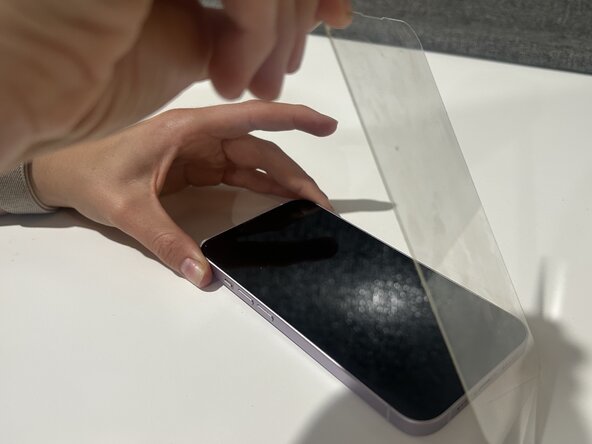
    • Carefully place new screen protector on the phone.

    • Ensure that all edges are properly aligned.

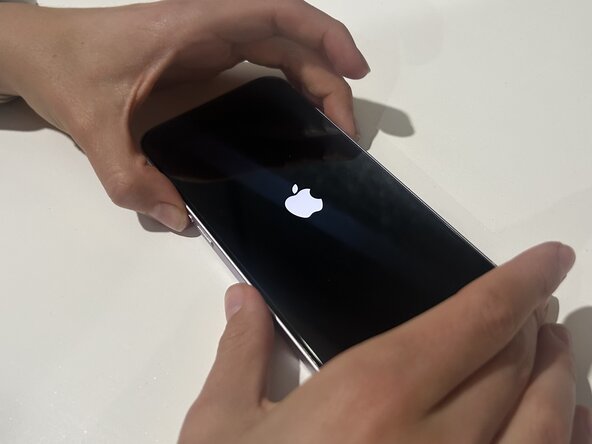
  7. iPhone 14 Screen Protector Replacement: passo 7, imagem 1 %32 iPhone 14 Screen Protector Replacement: passo 7, imagem 2 %32
    • Remove any air bubbles on the screen, then turn the phone back on.

Conclusão

After following these steps you should be able to fix the screen protector on your iPhone 14!

Uma outra pessoa concluiu este guia.

Kaitlyn

Membro desde: 03/12/25

177 Reputação

Autoria de 1 guia

0Comentários do guia

Comentar

Visualizações:

Últimas 24 horas: 1

Últimos 7 dias: 25

Últimos 30 dias: 88

Ao todo: 775