Ir para o conteúdo principal
Participe da comunidade de reparos - Criar conta

ZTE Jasper LTE Camera Replacement

O que você precisa

  1. ZTE Jasper LTE Camera Replacement, Battery: passo 1, imagem 1 %32
    • Insert the spudger into the bottom left corner of the phone.

    • Use the spudger to loosen the back cover.

  2. ZTE Jasper LTE Camera Replacement: passo 2, imagem 1 %32
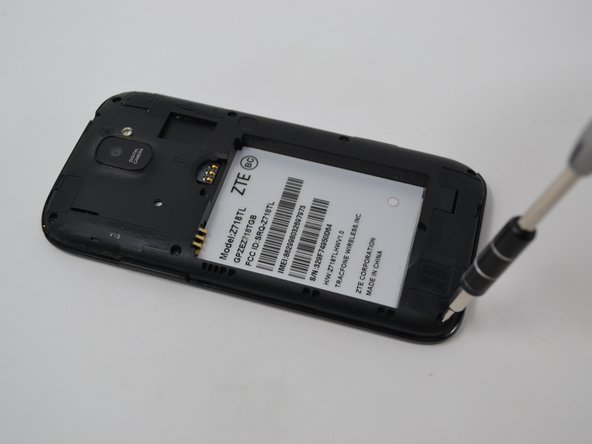
    • Insert the black spudger near the bottom left of the battery. There will be an opening to easily to remove the battery.

    • Continuing to use tool, prop up the battery and remove it.

  3. ZTE Jasper LTE Camera Replacement, Camera: passo 3, imagem 1 %32 ZTE Jasper LTE Camera Replacement, Camera: passo 3, imagem 2 %32
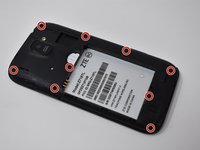
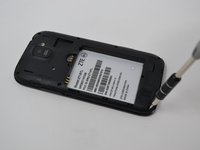
    • Remove nine 0.8mm Phillips #00 screws.

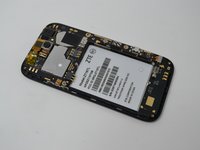
  4. ZTE Jasper LTE Camera Replacement: passo 4, imagem 1 %32 ZTE Jasper LTE Camera Replacement: passo 4, imagem 2 %32
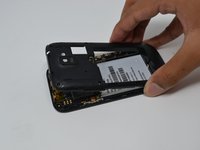
    • Remove the back cover by pulling upwards.

    • Removing the back cover may take a bit of force.

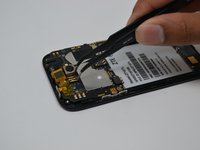
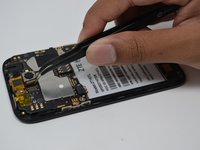
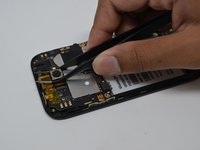
  5. ZTE Jasper LTE Camera Replacement: passo 5, imagem 1 %32 ZTE Jasper LTE Camera Replacement: passo 5, imagem 2 %32 ZTE Jasper LTE Camera Replacement: passo 5, imagem 3 %32
    Ferramenta utilizada neste passo:
    Tweezers
    $4.99
    • Disconnect the gold component attached to the camera by pulling upwards using the tweezers.

    • Remove the camera using the tweezers by gripping tightly around the camera and pulling upwards.

    • Camera is attached to the motherboard with adhesive. As such, you may need to use light force to remove the camera.

Conclusão

To reassemble your device, follow these instructions in reverse order.

Anthony Sou

Membro desde: 04/22/19

391 Reputação

Autoria de 4 guias

Equipe

UW Tacoma, Team S1-G1, Cardinal Spring 2019 Membro de UW Tacoma, Team S1-G1, Cardinal Spring 2019

UWT-CARDINAL-S19S1G1

4 Membros

Autoria de 10 guias

0Comentários do guia

Comentar

Visualizações:

Últimas 24 horas: 0

Últimos 7 dias: 5

Últimos 30 dias: 12

Ao todo: 220