Ir para o conteúdo principal

XBOX Controller S Trigger Replacement

O que você precisa

  1. XBOX Controller S Trigger Replacement, Shell: passo 1, imagem 1 %32
    • Remove the seven 9.4 mm screws on the back of the controller using a Phillips #00 screwdriver.

    • One screw is hidden behind the sticker on the back of the controller. Peel that sticker back and remove that screw as well.

  2. XBOX Controller S Trigger Replacement: passo 2, imagem 1 %32 XBOX Controller S Trigger Replacement: passo 2, imagem 2 %32 XBOX Controller S Trigger Replacement: passo 2, imagem 3 %32
    • Keep the controller facing down to prevent components from falling out.

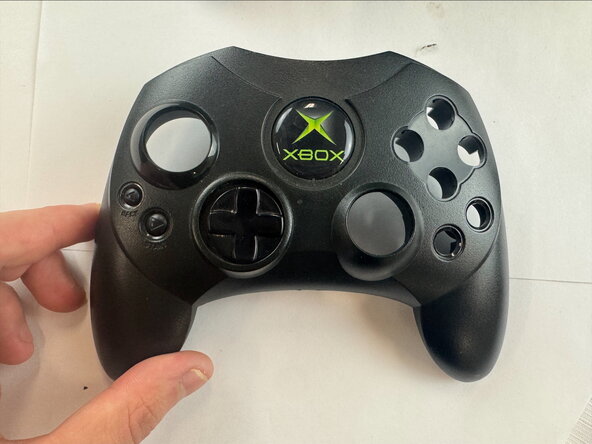
    • Remove the back shell.

    • Flip the controller over and remove the front shell.

  3. XBOX Controller S Trigger Replacement, Trigger: passo 3, imagem 1 %32 XBOX Controller S Trigger Replacement, Trigger: passo 3, imagem 2 %32
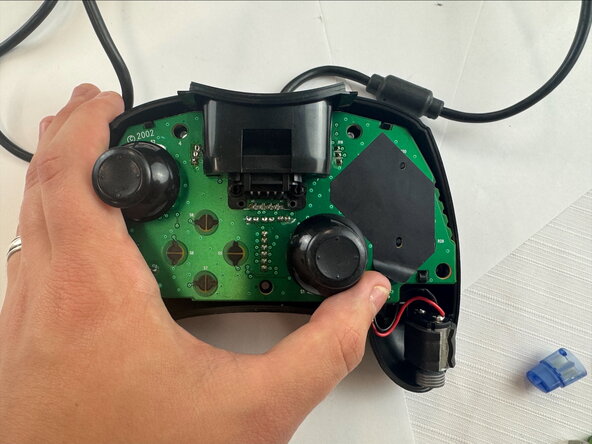
    • Carefully remove the motherboard from the shell.

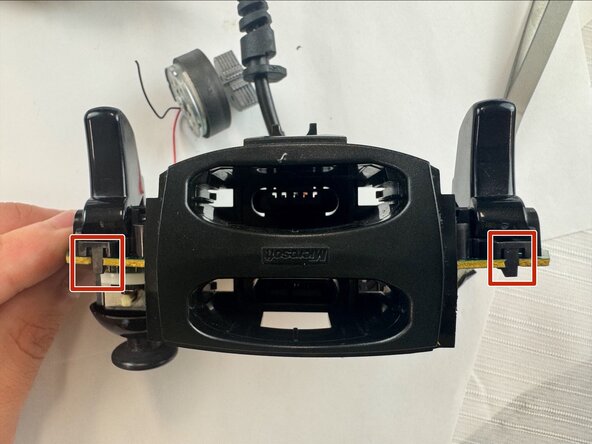
  4. XBOX Controller S Trigger Replacement: passo 4, imagem 1 %32 XBOX Controller S Trigger Replacement: passo 4, imagem 2 %32 XBOX Controller S Trigger Replacement: passo 4, imagem 3 %32
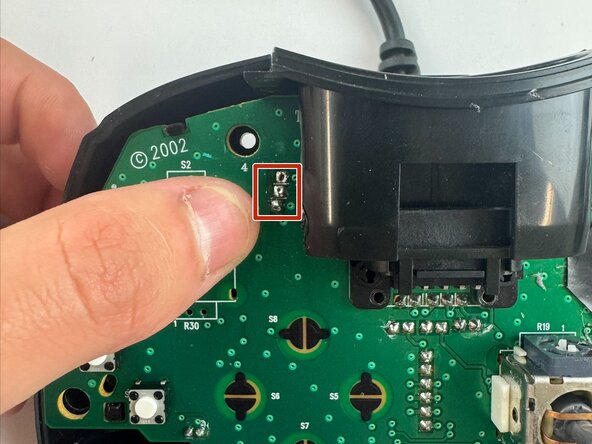
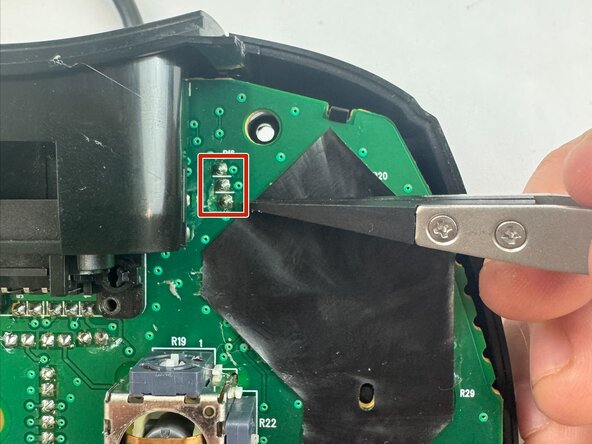
    • Desolder the three attachment points for the trigger, then unclip the trigger from the circuit board.

    • Clip in the new replacement trigger and solder the three attachment points.

Conclusão

To reassemble your device, follow these instructions in reverse order.

WyattGripp

Membro desde: 09/24/25

292 Reputação

Autoria de 3 guias

Equipe

Texas Tech, Team 46-5, Johansen Fall 2025 Membro de Texas Tech, Team 46-5, Johansen Fall 2025

TTU-JOHANSEN-F25S46G5

4 Membros

Autoria de 4 guias

0Comentários do guia

Comentar

Visualizações:

Últimas 24 horas: 5

Últimos 7 dias: 8

Últimos 30 dias: 10

Ao todo: 30