Essa tradução foi gerada por um programa e ainda não foi revisada por uma pessoa. Falas essa língua? Dá uma olhada.

Substituição da tela do LG X Power (com moldura)

Última atualização em 20 de jul de 2026
Visualizações: 9,5 mil
Visualizar Estatísticas:
- Últimas 24 horas:
- 9
- Últimos 7 dias:
- 25
- Últimos 30 dias:
- 63
- Ao todo:
- 9.465
Comentários: 9
2 comments on steps, 7 guide comments.
Go to guide commentsConcluído: 17 18
17 pessoas marcaram este guia como "concluído". Será você o próximo?
18· pessoas marcaram este guia como "concluído". Incluindo você — ótimo trabalho!
Favorites: 1 2
1 pessoa favoritou (e se inscreveu) neste guia. Você será o próximo?
2 pessoas marcaram como favorito (e assinaram) este guia - incluindo você!
Introdução
Ir para o passo 1 ↓Este guia mostrará como substituir a tela LCD de um smartphone LG X Power.
O que você precisa
Ferramentas
-
Spudger4.9


-
-
-
Insira uma Ferramenta de abertura de plástico acima do conector AUX e deslize-a pelo perímetro para soltar a capa traseira.
 Pergunte ao FixBot
-
-
-
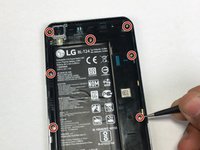
Remova os 12 parafusos Phillips #0 de 2,5 mm da parte traseira do celular.
-
-
-
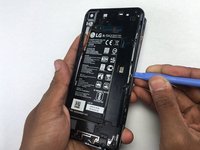
Insira uma ferramenta de abertura de plástico por baixo da estrutura intermediária e force para cima até ouvir um clique.
-
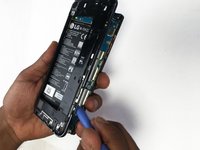
Com a ferramenta de abertura de plástico ainda por baixo da estrutura intermediária, contorne todo o perímetro até que ela se solte do smartphone.
-
-
-
-
-
-
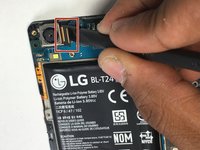
Use a ponta chata de uma espátula para desconectar a câmera frontal e a câmera traseira da placa-mãe.
-
Puxe as câmeras para fora para removê-las.
-
-
-
Use a ponta chata da espátula para desconectar a bateria da placa-mãe.
-
-
-
Insira uma Ferramenta de abertura de plástico sob a placa-mãe e force para cima para removê-la.
-
-
-
Use uma espátula e uma ferramenta de abertura para elevar a bateria com cuidado.
-
-
-
-
-
Descole cuidadosamente o motor de vibração com a ajuda da ferramenta de abertura.
-
-
-
Com a ferramenta de abertura, force o alto-falante auricular para fora.
-
-






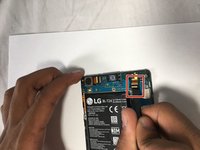
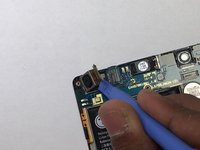


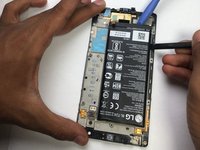
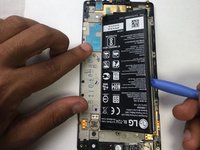


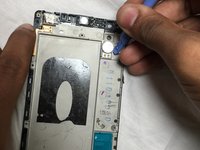
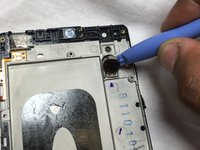

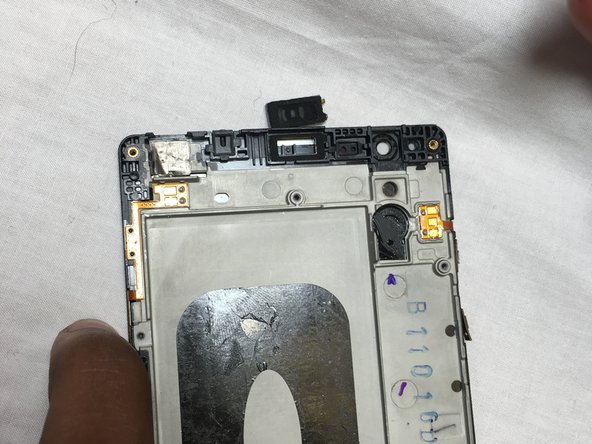
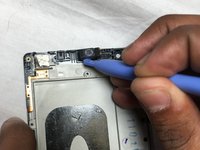
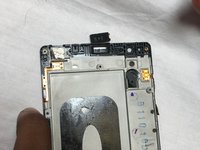
Para a remontagem de seu dispositivo, siga estas instruções na ordem inversa.
Cancelar: não concluí este guia.
17 outras pessoas executaram este guia.

Equipe

USF Tampa, Team S3-G6, Nance Spring 2018 Membro de USF Tampa, Team S3-G6, Nance Spring 2018
USFT-NANCE-S18S3G6
3 Membros
Autoria de 72 guias
7Comentários do guia
If you are just replacing the screen, this is wrong. This would help if you are replacing with a “screen in frame”
What is the right way for just the screen?
Please add “with frame” in title. Also need to make sure all contacts are present on the frame of the new screen, transfer them over if not.
Is the x power screen the same size ( or same screen altogether) as the x power 3 screen? If not what screen would I be looking for?
Where’s the part where you actually remove the screen and add in the new one?
The last step seems to be prying off the ear speaker.
Could you please fix this guide when you get the chance? I might replace the screen on my LG Power X [K210]. Thanks.
