Ir para o conteúdo principal
Participe da comunidade de reparos - Criar conta

Sony VAIO SVE14AJ16L I/O Card Replacement

O que você precisa

  1. Sony VAIO SVE14AJ16L I/O Card Replacement, I/O Card: passo 1, imagem 1 %32
    • Flip the laptop so the bottom side is facing up towards you.

  2. Sony VAIO SVE14AJ16L I/O Card Replacement: passo 2, imagem 1 %32 Sony VAIO SVE14AJ16L I/O Card Replacement: passo 2, imagem 2 %32
    • Remove the battery, hard drive cover, and RAM cover.

    • Unscrew the two Phillips screws to remove the hard drive from the computer

    • If you're unsure how to remove the covers for the hard drive, battery, and RAM, refer to the guides on replacing these components.

  3. Sony VAIO SVE14AJ16L I/O Card Replacement: passo 3, imagem 1 %32 Sony VAIO SVE14AJ16L I/O Card Replacement: passo 3, imagem 2 %32 Sony VAIO SVE14AJ16L I/O Card Replacement: passo 3, imagem 3 %32
    Ferramenta utilizada neste passo:
    Magnetic Project Mat
    $19.95
    • Remove the 13 Phillips #0 screws.

    • Make sure you have an organization system to remember which screws go where, as the majority are different sizes! The iFixit Magnetic Project Mat is an awesome tool for this exact reason!

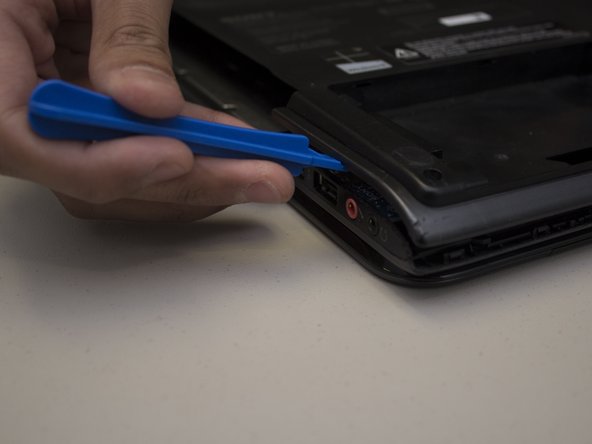
    • Carefully pry apart the clipped-on bottom panel of the laptop to expose the internal of the laptop using the iFixit opening tool.

  4. Sony VAIO SVE14AJ16L I/O Card Replacement: passo 4, imagem 1 %32
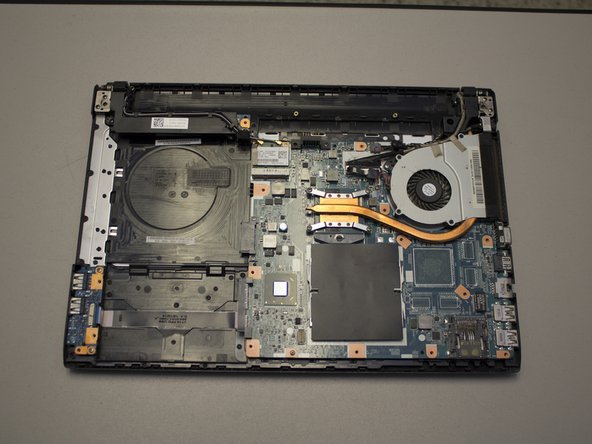
    • Locate the I/O card in the bottom left hand corner of the case.

  5. Sony VAIO SVE14AJ16L I/O Card Replacement: passo 5, imagem 1 %32 Sony VAIO SVE14AJ16L I/O Card Replacement: passo 5, imagem 2 %32 Sony VAIO SVE14AJ16L I/O Card Replacement: passo 5, imagem 3 %32
    Ferramenta utilizada neste passo:
    Tweezers
    $4.99
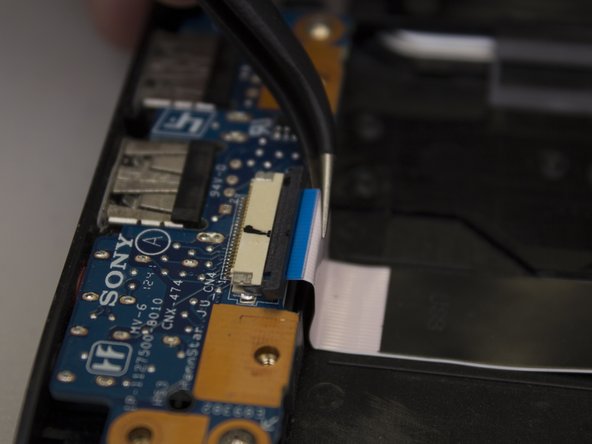
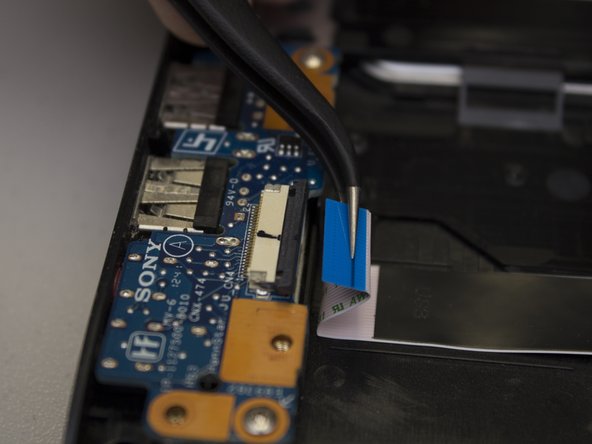
    • Carefully slide the black retainer bar towards the ribbon cable with a nylon supdger until parallel.

    • Carefully pull the ribbon cable out of its socket with a pair of tweezers.

  6. Sony VAIO SVE14AJ16L I/O Card Replacement: passo 6, imagem 1 %32 Sony VAIO SVE14AJ16L I/O Card Replacement: passo 6, imagem 2 %32 Sony VAIO SVE14AJ16L I/O Card Replacement: passo 6, imagem 3 %32
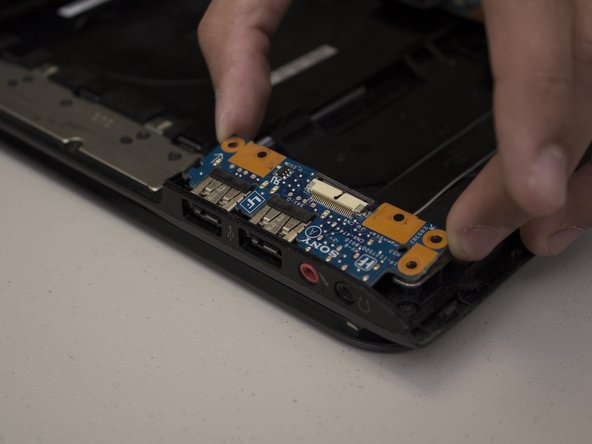
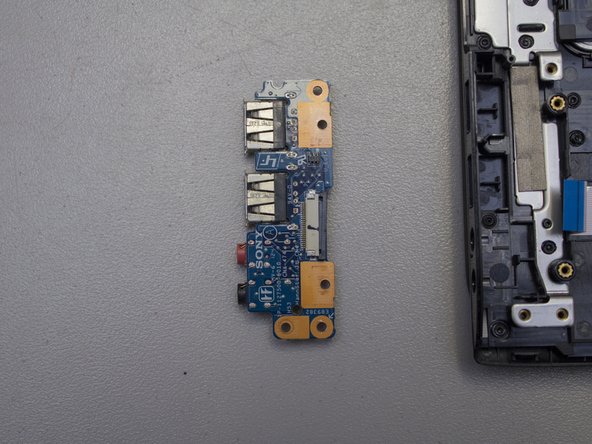
    • Remove the two screws on the corners of the I/O card using a Phillips #0 screwdriver.

    • Lift the edge of the card up and away from the laptop, then pull it away from the side ports.

Conclusão

To put Humpty Dumpty together again, follow these instructions in the reverse order.

0Comentários do guia

Comentar

Visualizações:

Últimas 24 horas: 0

Últimos 7 dias: 5

Últimos 30 dias: 18

Ao todo: 475