Ir para o conteúdo principal

Sony NEX-5R Main Navigation Button Replacement

O que você precisa

  1. Sony NEX-5R Main Navigation Button Replacement, Rear Case: passo 1, imagem 1 %32
    • Remove the three (3.5 mm) screws from the bottom of the camera with the Phillips screwdriver.

  2. Sony NEX-5R Main Navigation Button Replacement: passo 2, imagem 1 %32
    • Open the HDMI port, and remove the the two (3.5 mm) Phillips screws exposed on that side.

  3. Sony NEX-5R Main Navigation Button Replacement: passo 3, imagem 1 %32
    • Remove the two 4mm screws from the interior of the battery pack, and one 3.5mm screw from beside it.

  4. Sony NEX-5R Main Navigation Button Replacement: passo 4, imagem 1 %32
    • Looking at the bottom of the camera, use the spudger to lift the rear case away from the camera body.

  5. Sony NEX-5R Main Navigation Button Replacement: passo 5, imagem 1 %32 Sony NEX-5R Main Navigation Button Replacement: passo 5, imagem 2 %32
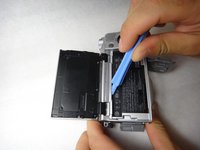
    • Using the spudger again, carefully pry from the top of the camera to remove the back frame.

    • The back frame is fragile, so use the spudger gently.

  6. Sony NEX-5R Main Navigation Button Replacement: passo 6, imagem 1 %32
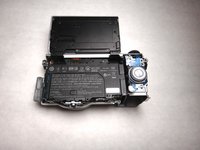
    • The back case should now be removed and look like this.

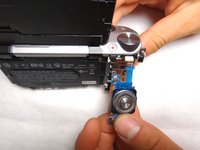
  7. Sony NEX-5R Main Navigation Button Replacement, Main Navigation Button: passo 7, imagem 1 %32
    • Use spudger to pull the lead out from its housing.

  8. Sony NEX-5R Main Navigation Button Replacement: passo 8, imagem 1 %32 Sony NEX-5R Main Navigation Button Replacement: passo 8, imagem 2 %32
    Ferramenta utilizada neste passo:
    Tweezers
    $4.99
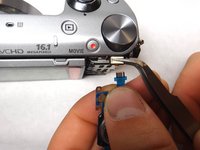
    • Squeeze the lead with the tweezers and hold the lead teeth tightly with your fingers. Pull straight out to disconnect.

  9. Sony NEX-5R Main Navigation Button Replacement: passo 9, imagem 1 %32 Sony NEX-5R Main Navigation Button Replacement: passo 9, imagem 2 %32
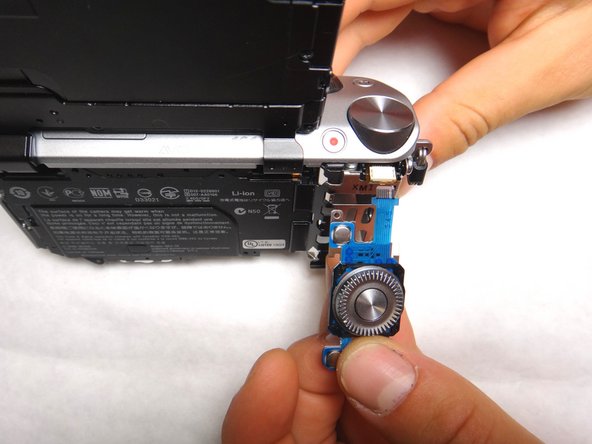
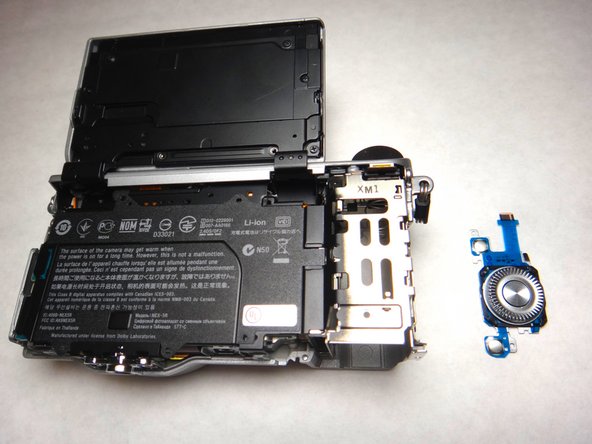
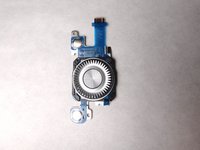
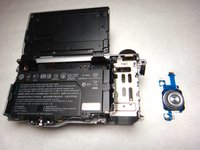
    • The navigation button component should now be separate and able to be replaced with new component. The camera and navigation button should appear as shown.

Conclusão

To reassemble your device, follow these instructions in reverse order.

3 outras pessoas executaram este guia.

Emily Trujillo

Membro desde: 04/08/14

1.153 Reputação

Autoria de 6 guias

Equipe

Cal Poly, Team 8-9, Regan Spring 2014 Membro de Cal Poly, Team 8-9, Regan Spring 2014

CPSU-REGAN-S14S8G9

4 Membros

Autoria de 14 guias

0Comentários do guia

Comentar

Visualizações:

Últimas 24 horas: 2

Últimos 7 dias: 9

Últimos 30 dias: 39

Ao todo: 4,558