Ir para o conteúdo principal

Seagate External Hard Drive drive replacement

O que você precisa

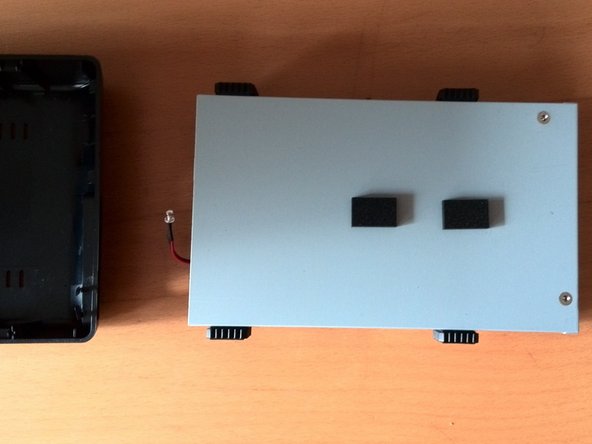
  1. Seagate External Hard Drive drive replacement, Open the housing: passo 1, imagem 1 %32 Seagate External Hard Drive drive replacement, Open the housing: passo 1, imagem 2 %32
    • It is best to open the case at the rear of the connectors.

    • The lid has plastic tabs (1) which are stuck in the base (2). They can be loosened by pushing the base outwzards with a flat screwdriver or similar tool.

    • The manufacturer did not intend for the case to be opened, so some damage to the case is to be expected. (3)

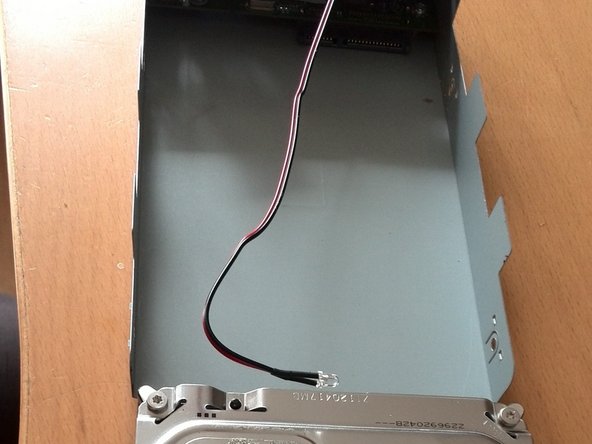
  2. Seagate External Hard Drive drive replacement, Remove the drive carriage: passo 2, imagem 1 %32 Seagate External Hard Drive drive replacement, Remove the drive carriage: passo 2, imagem 2 %32
    • The hard disk can now be lifted out of the plastic housing. It is not attached any further.

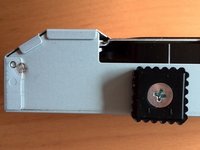
  3. Seagate External Hard Drive drive replacement, Remove the drive from the drive carriage: passo 3, imagem 1 %32 Seagate External Hard Drive drive replacement, Remove the drive from the drive carriage: passo 3, imagem 2 %32 Seagate External Hard Drive drive replacement, Remove the drive from the drive carriage: passo 3, imagem 3 %32
    • Unscrew the side screws.

    • Remove the permanently attached cables and stickers from the hard drive.

    • Then pull the hard drive backwards with a little force.

Conclusão

Repeat the steps in reverse order to reassemble your device.

2 outras pessoas executaram este guia.

Um agradecimento especial a esses tradutores:

de en

100%

Estes tradutores estão nos ajudando a consertar o mundo! Quer contribuir?
Comece a traduzir ›

Nicola

Membro desde: 03/29/16

61 Reputação

Autoria de 1 guia

0Comentários do guia

Comentar

Visualizações:

Últimas 24 horas: 4

Últimos 7 dias: 27

Últimos 30 dias: 105

Ao todo: 2,731