Ir para o conteúdo principal
Participe da comunidade de reparos - Criar conta

Samsung SCH-A310 Outside Display Replacement

O que você precisa

  1. Samsung SCH-A310 Outside Display Replacement, Display Casing: passo 1, imagem 1 %32 Samsung SCH-A310 Outside Display Replacement, Display Casing: passo 1, imagem 2 %32 Samsung SCH-A310 Outside Display Replacement, Display Casing: passo 1, imagem 3 %32
    • With the phone upright and folded shut, locate the two silver tabs at the top of the screen.

    • Using one hand, pinch the two tabs inward, and use your other hand to slide the front cover of the screen off of the phone.

    • Note: Do not apply too much of force. If you find it difficult to remove the front cover, try pinching the tabs in harder, and make sure you are sliding the front cover directly downward.

    Pergunte ao FixBot
  2. Samsung SCH-A310 Outside Display Replacement: passo 2, imagem 1 %32 Samsung SCH-A310 Outside Display Replacement: passo 2, imagem 2 %32
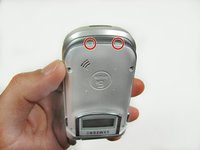
    • Using the T6 Torx screwdriver, remove each of the 4mm screws located in the corners of the phone.

    • Be sure to keep track of the little screws, since they can be lost easily.

    Pergunte ao FixBot
  3. Samsung SCH-A310 Outside Display Replacement: passo 3, imagem 1 %32 Samsung SCH-A310 Outside Display Replacement: passo 3, imagem 2 %32
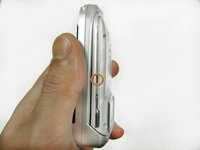
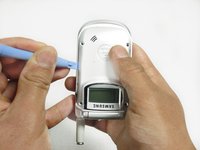
    • Locate the tabs on either side of the phone. Pull the outer case away from each tab with the plastic opening tool.

    Pergunte ao FixBot
  4. Samsung SCH-A310 Outside Display Replacement: passo 4, imagem 1 %32 Samsung SCH-A310 Outside Display Replacement: passo 4, imagem 2 %32 Samsung SCH-A310 Outside Display Replacement: passo 4, imagem 3 %32
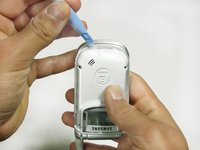
    • Hold the phone upside-down.

    • Two plastic tabs are located under the lip of your phone. Use a plastic opening tool to pop the outer case away from the tabs.

    • After the outside case is clear of the four tabs, removed it.

    Pergunte ao FixBot
  5. Samsung SCH-A310 Outside Display Replacement, Outside Display: passo 5, imagem 1 %32 Samsung SCH-A310 Outside Display Replacement, Outside Display: passo 5, imagem 2 %32 Samsung SCH-A310 Outside Display Replacement, Outside Display: passo 5, imagem 3 %32
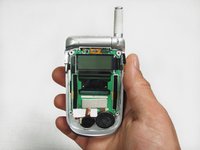
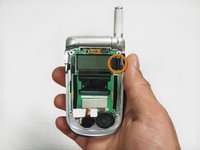
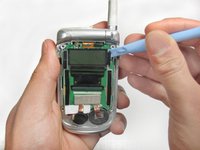
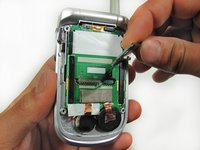
    • With the phone upright, locate the small piece of electrical tape on the right side of the screen. Remove it and place it where you won't lose it.

    • Slip the plastic tool behind the outside display where the tape used to be. Peel away the screen from its white backing.

    • Continue to peel away the screen until it becomes fully detached. Attach the new screen.

    Pergunte ao FixBot
Conclusão

To reassemble your device, follow these instructions in reverse order.

Anthony Cisneros

Membro desde: 01/20/12

1 Reputação

Autoria de 2 guias

Equipe

Cal Poly, Team 11-23, Maness Winter 2012 Membro de Cal Poly, Team 11-23, Maness Winter 2012

CPSU-MANESS-W12S11G23

4 Membros

Autoria de 10 guias

0Comentários do guia

Comentar

Visualizações:

Últimas 24 horas: 0

Últimos 7 dias: 3

Últimos 30 dias: 67

Ao todo: 1,598