Introdução
This is the battery replacement guide for the Samsung Gusto 2.
-
-
-
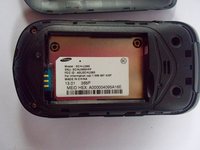
Find the little slit on the side of the phone and stick your fingernail in between the slit and push your thumb upwards towards your hand.
-
Look at the next picture for the slit.
-
-
-
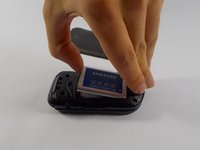
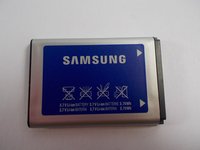
Pop out the battery by placing your finger in between the open slit.
-

 Pergunte ao FixBot


To reassemble your device, follow these instructions in reverse order.
Cancelar: não concluí este guia.
Uma outra pessoa concluiu este guia.

Equipe

UMass Dartmouth, Team 2-5, Shastany Spring 2015 Membro de UMass Dartmouth, Team 2-5, Shastany Spring 2015
UMASSD-SHASTANY-S15S2G5
3 Membros
Autoria de 10 guias
