Ir para o conteúdo principal
Participe da comunidade de reparos - Criar conta

Samsung Blackjack Motherboard Replacement

O que você precisa

  1. Samsung Blackjack Motherboard Replacement, Back Phone Casing: passo 1, imagem 1 %32 Samsung Blackjack Motherboard Replacement, Back Phone Casing: passo 1, imagem 2 %32
    • Use the spudger to remove the rubber stoppers from the top of the cover.

    • Use the Phillips 00 screw driver to remove the screws from each of the four corners and the two on sides (six total).

    Pergunte ao FixBot
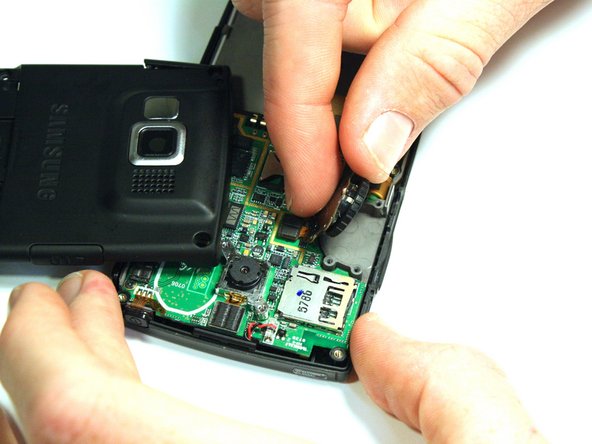
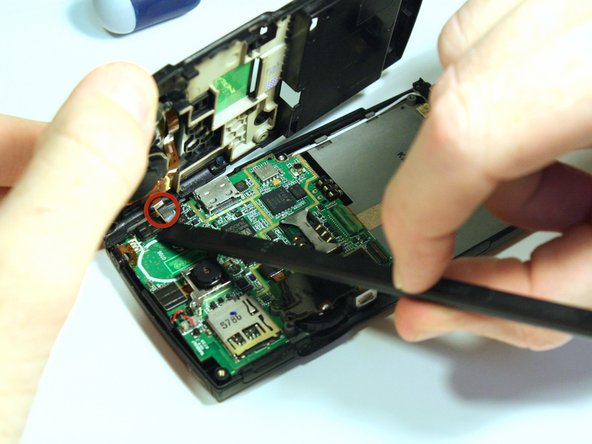
  2. Samsung Blackjack Motherboard Replacement: passo 2, imagem 1 %32 Samsung Blackjack Motherboard Replacement: passo 2, imagem 2 %32 Samsung Blackjack Motherboard Replacement: passo 2, imagem 3 %32
    • Use the spudger to loosen and separate the front and back covers.

    • Pick up the back cover once loosened.

    • The front and back covers will be attached to each other by a gold wire.

    • Remove the gold wire connecting the back cover to the motherboard to completely separate the covers.

    Pergunte ao FixBot
  3. Samsung Blackjack Motherboard Replacement, Volume/Scroll Wheel: passo 3, imagem 1 %32 Samsung Blackjack Motherboard Replacement, Volume/Scroll Wheel: passo 3, imagem 2 %32
    • Use the screwdriver to unscrew the four screws that hold the scroll wheel in place.

    • Use your fingers to remove the scroll wheel and the metal plate that it is attached to.

    Pergunte ao FixBot
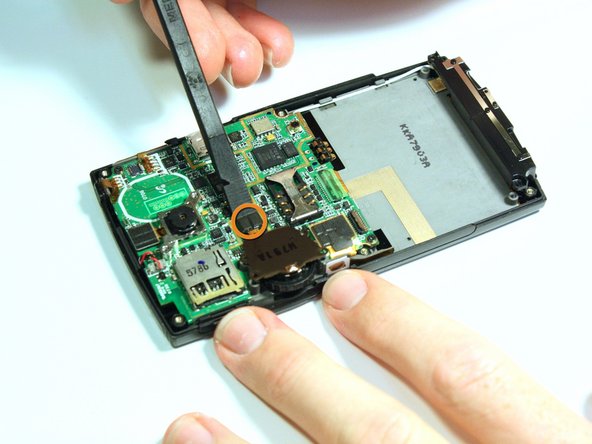
  4. Samsung Blackjack Motherboard Replacement: passo 4, imagem 1 %32 Samsung Blackjack Motherboard Replacement: passo 4, imagem 2 %32
    • Use the spudger to unsnap the gold wire connection that connects the back casing to the logic board.

    • Use the spudger to unsnap the gold wire connection that connects the scroll wheel assembly to the logic board.

    Pergunte ao FixBot
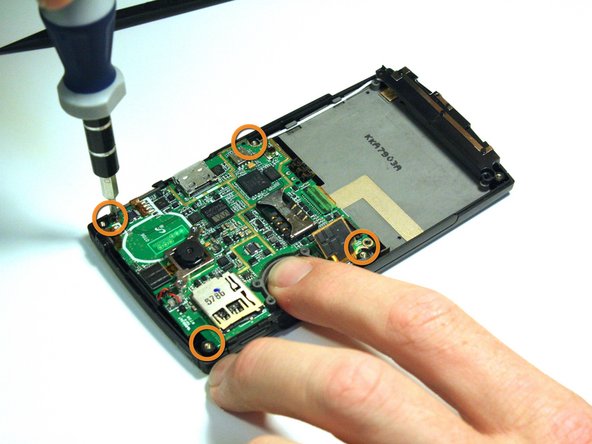
  5. Samsung Blackjack Motherboard Replacement, Motherboard: passo 5, imagem 1 %32 Samsung Blackjack Motherboard Replacement, Motherboard: passo 5, imagem 2 %32
    • Use the spudger to unsnap the black rectangular connection from the motherboard.

    • Use the Phillips 00 screwdriver to remove all of the screws that hold the motherboard in place.

    Pergunte ao FixBot
  6. Samsung Blackjack Motherboard Replacement: passo 6, imagem 1 %32 Samsung Blackjack Motherboard Replacement: passo 6, imagem 2 %32
    Ferramenta utilizada neste passo:
    Tweezers
    $4.99
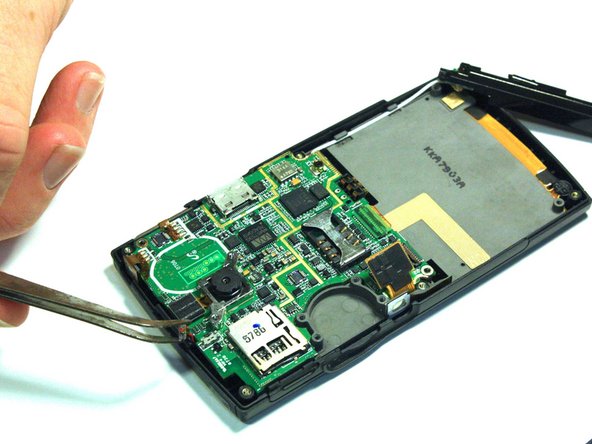
    • Use the tweezers to unsnap the connection between the motherboard and the speaker. The speaker is attached to the front casing.

    Pergunte ao FixBot
  7. Samsung Blackjack Motherboard Replacement: passo 7, imagem 1 %32 Samsung Blackjack Motherboard Replacement: passo 7, imagem 2 %32
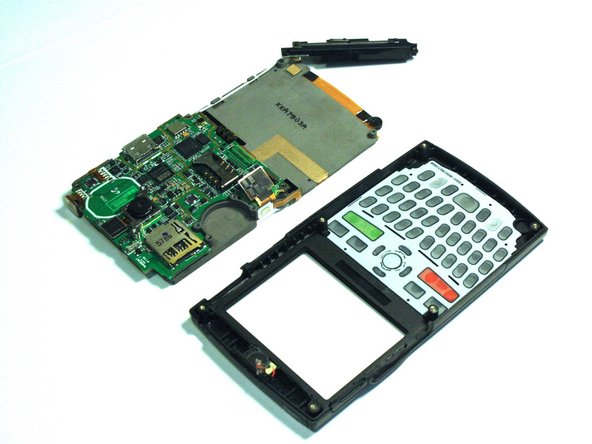
    • Once all of the connections have been snapped off of the motherboard, the motherboard can be removed.

    • Lift up on the motherboard and it will come free of the front casing.

    Pergunte ao FixBot
Conclusão

To reassemble your device, follow these instructions in reverse order.

Kristin Manna

Membro desde: 10/22/12

29 Reputação

Autoria de 10 guias

Equipe

Clemson, Team 14-4, Benson Fall 2012 Membro de Clemson, Team 14-4, Benson Fall 2012

CLEM-BENSON-F12S14G4

3 Membros

Autoria de 14 guias

0Comentários do guia

Comentar

Visualizações:

Últimas 24 horas: 1

Últimos 7 dias: 5

Últimos 30 dias: 62

Ao todo: 801