Introdução
Over time, the foot, stand, holder, or legs of your Razer Huntsman Mini can become worn out, broken, or loose, making it unusable or difficult to use. Replacing these parts is a simple and effective way to restore stability and prolong the life of your device.This guide will walk you through the process o removing the damaged support and installing a new one safely. No prior repair experience is necessary.
-
-
Turn off an unplug.
-
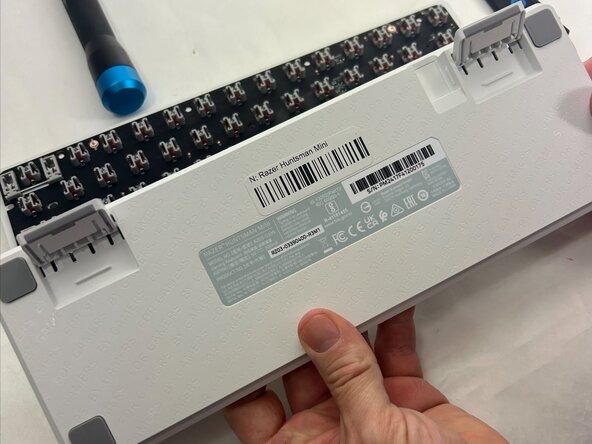
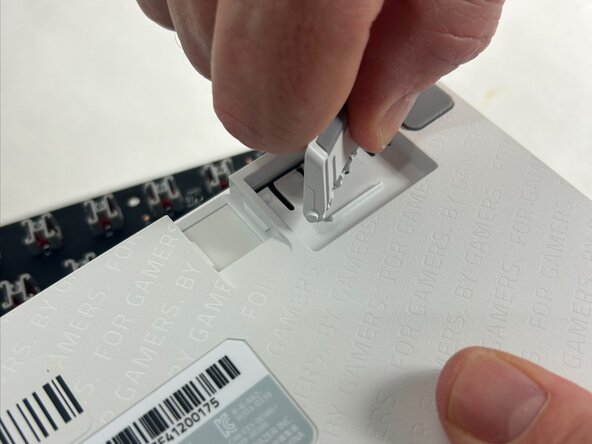
Flip the device to the back panel exposing screws or clips that attach the legs. Usually located near the corners or central support area.
-
-
-
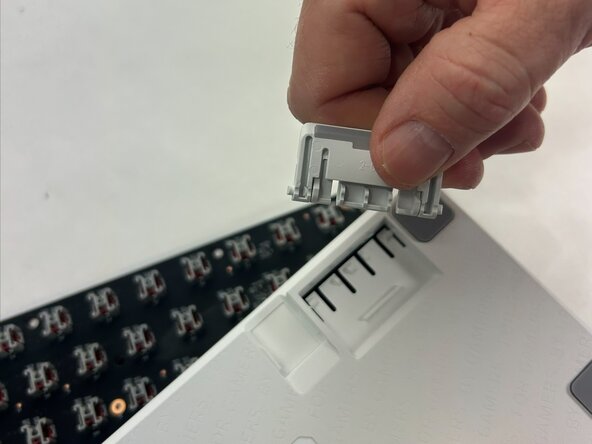
Once removed, clean out the space for your new replacement. Use a dry rag or a can of keyboard cleaner.
-
Take your new part and align it with mounting hole found on the sides snapping firmly back into place.
-
Check that the new stand/foot is level, secure, and stable.
-
Get back to gaming!
-
To reassemble your device, follow these instructions in reverse order.



Equipe

UMass Dartmouth, Team 4-6, Konn Spring 2025 Membro de UMass Dartmouth, Team 4-6, Konn Spring 2025
UMASSD-KONN-S25S4G6
4 Membros
Autoria de 4 guias
