Introdução
It is not uncommon for mice, such as the Razer Basilisk V3, to see mechanical difficulties through wear and tear of the mouse. In order to fix issues such as unregistered scrolls, double scrolling, or general friction, it might be necessary to take apart the mouse and perform a replacement. Additionally, customization and upgrades could also be a reason to replace the scroll wheel.
It should be noted that disassembling the mouse to replace the scroll wheel will most likely damage the mouse skates. Also, it is helpful for users to have knowledge in basic electronics as well as the internal structure of a mouse. This guide will assist in replacing the Basilisk V3 scroll wheel.
O que você precisa
-
-
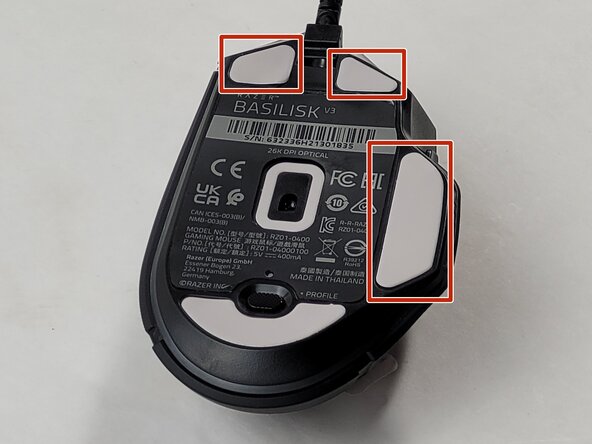
Locate the highlighted white skates on the bottom of the mouse.
 Pergunte ao FixBot
-
-
-
Heat the skate using a heat gun or hair dryer.
-
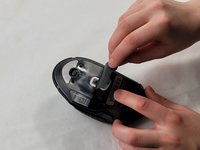
Using the pointy end of the spudger pry away a corner of the skate.
-
Once the corner of the skate comes free use the flat end of the spudger to peel off the rest of the skate.
-
Repeat these steps for each of the skates.
-
-
-
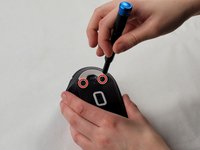
Remove two 4.8 mm screws that were hidden under the front skates using a JIS #1 screwdriver.
-
Remove the single 4 mm screw beneath the thumb grip using a JIS #1 screwdriver.
-
-
-
-
Heat the label gently with a heat gun or hair dryer.
-
Once the adhesive is loosened, use a spudger to peel off the label carefully, revealing two additional screws.
-
Remove the two 4.8 mm screws using a JIS #1 screwdriver.
-
-
-
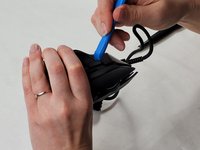
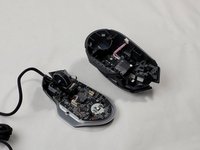
Carefully pry apart the mouse's top and bottom halves. Using the iFixit opening tool, start at one corner and work around the edge.
-
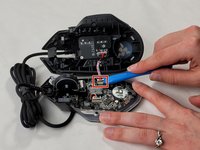
Using a plastic opening tool, gently pry the connector apart by moving side to side to avoid bending the pins.
-
-
-
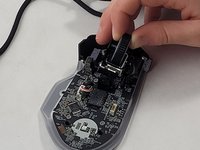
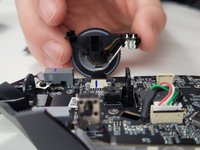
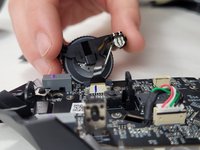
Use the flat end of the spudger to pop-out the scroll wheel assembly.
-
-
-
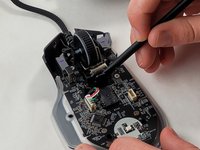
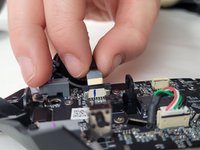
Pull up on the top half of the cable connector and pull the cable from the connector.
-









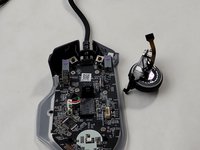
To reassemble your device, follow these instructions in reverse order.
Cancelar: não concluí este guia.
5 outras pessoas executaram este guia.

Equipe

UMass Dartmouth, Team 1-2, Santin Spring 2024 Membro de UMass Dartmouth, Team 1-2, Santin Spring 2024
UMASSD-SANTIN-S24S1G2
2 Membros
Autoria de 9 guias
