Ir para o conteúdo principal

Protocol Slipstream EVO Battery Replacement

O que você precisa

  1. Protocol Slipstream EVO Battery Replacement, Battery: passo 1, imagem 1 %32 Protocol Slipstream EVO Battery Replacement, Battery: passo 1, imagem 2 %32
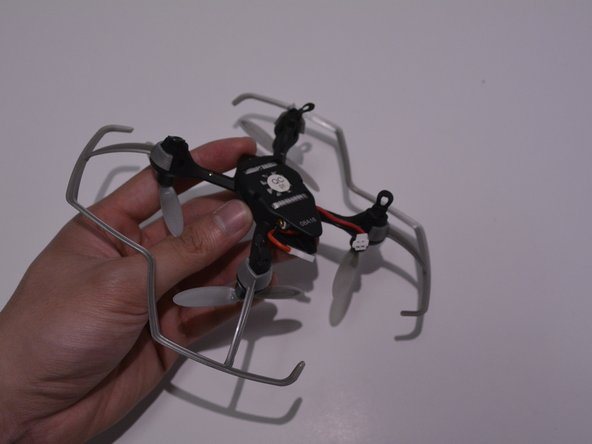
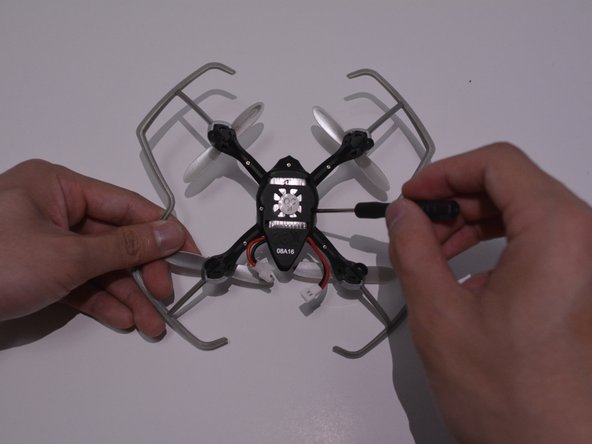
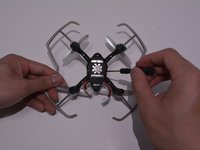
    • On the bottom of the drone unscrew the screws next to the battery, using the screwdriver provided.

    • The picture shows one of the screws you will be removing, the other screw is directly across from the one being presented.

    • Tip: Removing the screws will loosen the frame of the drone allowing the battery to be removed easier. If you do not want to remove the screws skip to step 2.

  2. Protocol Slipstream EVO Battery Replacement: passo 2, imagem 1 %32 Protocol Slipstream EVO Battery Replacement: passo 2, imagem 2 %32 Protocol Slipstream EVO Battery Replacement: passo 2, imagem 3 %32
    • Pinch the side of the battery that is already exposed and pull until the battery is fully removed from the drone.

  3. Protocol Slipstream EVO Battery Replacement: passo 3, imagem 1 %32 Protocol Slipstream EVO Battery Replacement: passo 3, imagem 2 %32 Protocol Slipstream EVO Battery Replacement: passo 3, imagem 3 %32
    • With the replacement battery, insert it where you removed the faulty battery until it fully secured within the drone.

    • Replace screws that were removed earlier if you did not skip step 1.

Conclusão

To reassemble your device, follow these instructions in reverse order.

Michael Dang

Membro desde: 04/10/17

301 Reputação

Autoria de 3 guias

Equipe

UW Tacoma, Team S3-G3, Liner Spring 2017 Membro de UW Tacoma, Team S3-G3, Liner Spring 2017

UWT-LINER-S17S3G3

4 Membros

Autoria de 3 guias

0Comentários do guia

Comentar

Visualizações:

Últimas 24 horas: 0

Últimos 7 dias: 2

Últimos 30 dias: 7

Ao todo: 598