Ir para o conteúdo principal

ProScan PLT7050 Motherboard Replacement

O que você precisa

  1. ProScan PLT7050 Motherboard Replacement, Open Device: passo 1, imagem 1 %32
    • Make sure device is unplugged and turned off while working on the device.

    • Remove 2 Phillips head, 4.3 mm screws from the bottom side of the tablet with a PH00 screwdriver.

  2. ProScan PLT7050 Motherboard Replacement: passo 2, imagem 1 %32
    • Use the plastic opening tools to pry the back of the tablet open.

    • You may need to slide the tool along the sides of the device to get it to open. You might hear some popping noises, it is okay.

    • May be helpful if you start by the microSD slot.

  3. ProScan PLT7050 Motherboard Replacement, Motherboard: passo 3, imagem 1 %32 ProScan PLT7050 Motherboard Replacement, Motherboard: passo 3, imagem 2 %32
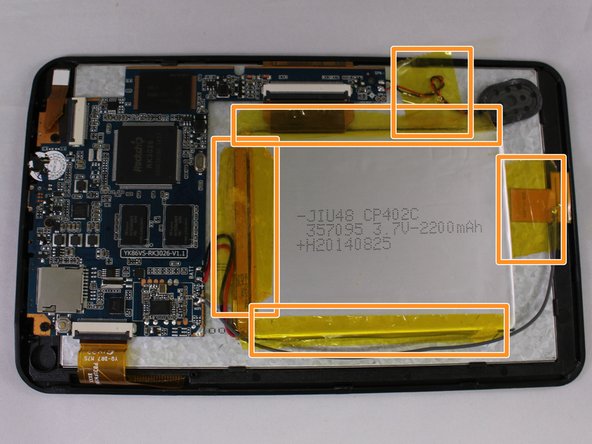
    • Remove the 3 black pieces of tape from the device.

    • Remove the 5 yellow pieces of tape from the device.

  4. ProScan PLT7050 Motherboard Replacement: passo 4, imagem 1 %32 ProScan PLT7050 Motherboard Replacement: passo 4, imagem 2 %32
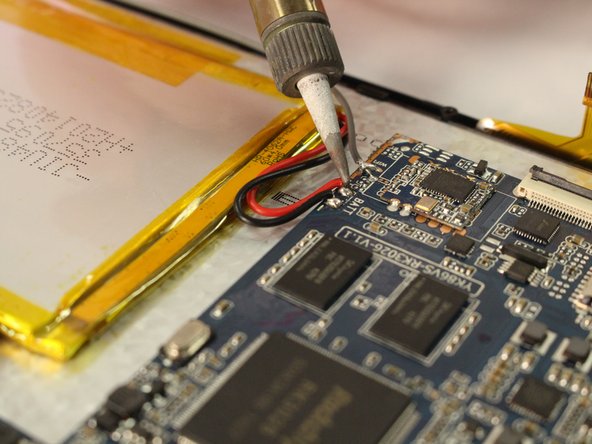
    • Use the soldering tool to remove the 3 wires from the mother board to the battery (black, red, gray).

    • Soldering tool will get hot.

  5. ProScan PLT7050 Motherboard Replacement: passo 5, imagem 1 %32 ProScan PLT7050 Motherboard Replacement: passo 5, imagem 2 %32
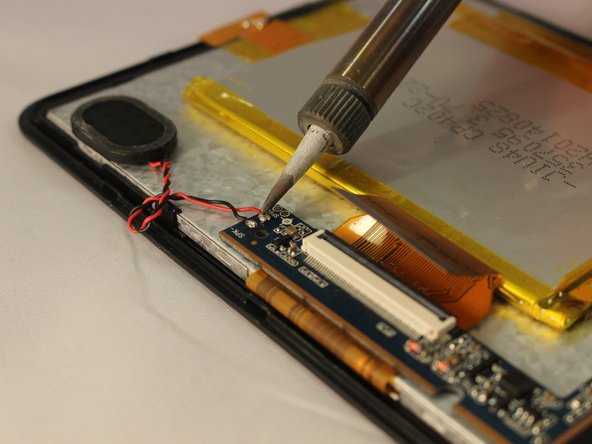
    • Remove the speaker wires from the motherboard with the soldering tool.

  6. ProScan PLT7050 Motherboard Replacement: passo 6, imagem 1 %32
    • Remove 3 Phillips head, 4.3 mm screws from the bottom side of the tablet with a PH00 screwdriver.

  7. ProScan PLT7050 Motherboard Replacement: passo 7, imagem 1 %32 ProScan PLT7050 Motherboard Replacement: passo 7, imagem 2 %32 ProScan PLT7050 Motherboard Replacement: passo 7, imagem 3 %32
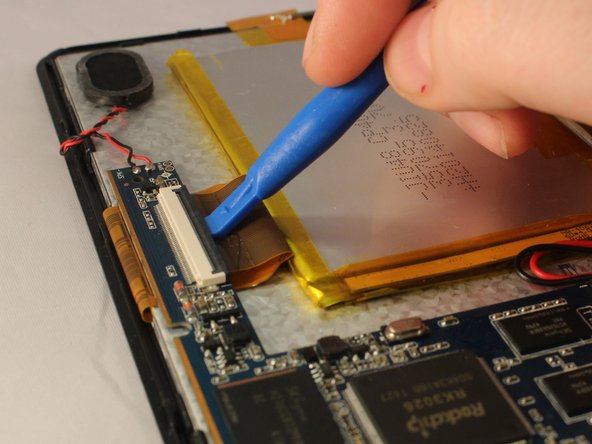
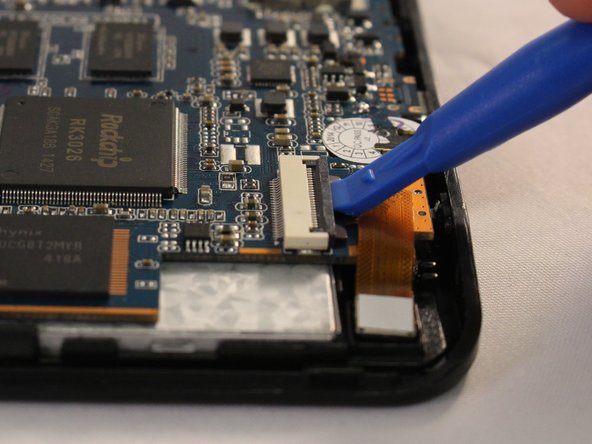
    • Use the plastic opening tool to pop open all 3 ZIF connector tabs connected to the motherboard.

    • Remove each ribbon from the ZIF connector port.

  8. ProScan PLT7050 Motherboard Replacement: passo 8, imagem 1 %32
    • Lift the motherboard off the device taking care to pull the ports out of the casing.

Conclusão

To reassemble your device, follow these instructions in reverse order.

0Comentários do guia

Comentar

Visualizações:

Últimas 24 horas: 1

Últimos 7 dias: 3

Últimos 30 dias: 13

Ao todo: 445