Introdução
Use this guide to replace a burned-out fan on your PlayStation 3.
O que você precisa
-
-
Use the tip of a spudger to remove the black rubber screw cover from the side of the PS3.
-
-
-
Remove the following seven screws:
-
Six 52 mm Phillips screws
-
One 30 mm Phillips screw
-
-
-
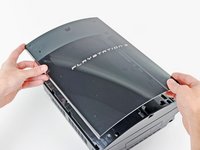
Lift the top cover from its rear edge and rotate it toward the front of the PS3.
-
Remove the top cover.
-
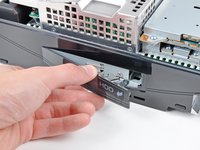
There is a plastic hook located in a hole on the top back right hand side corner. Carefully push the plastic hook a bit from the rear of the machine with a spudger to release the rear right of the casing.
-
-
-
-
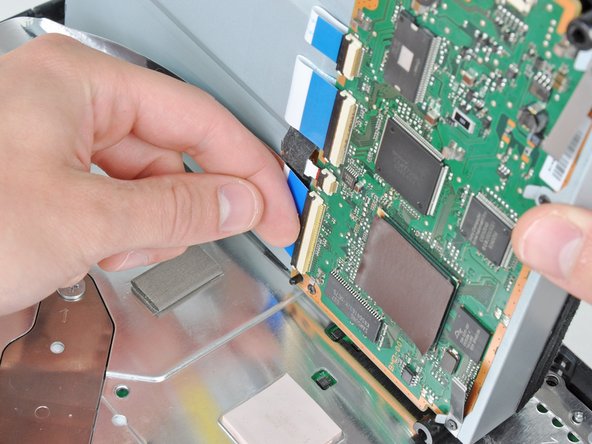
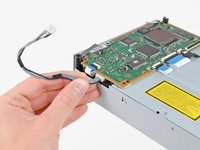
Pull the control board ribbon cable straight up and out of its socket on the motherboard.
-
-
-
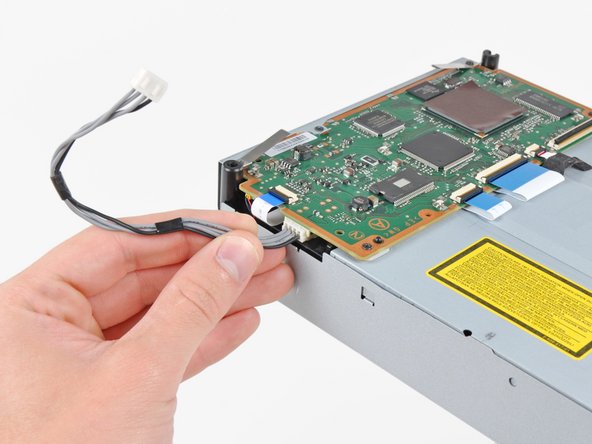
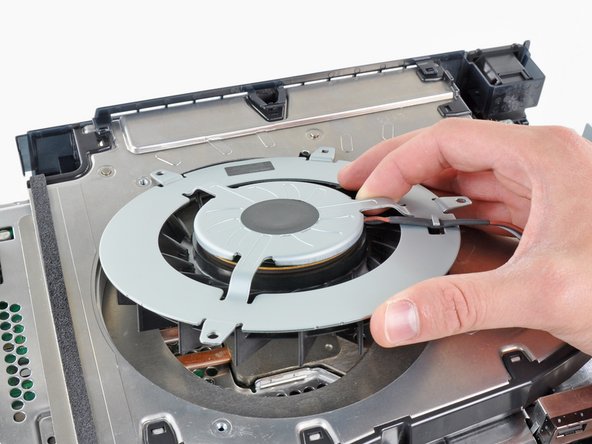
De-route the fan cables from under the plastic finger molded into the heat sink.
-













To reassemble your device, follow these instructions in reverse order.
Cancelar: não concluí este guia.
60 outras pessoas executaram este guia.


6Comentários do guia
Im guessing its not possible to flip the device over in order to get to the fan... Im genuinely asking this.
Super tutorial but my ps3 fat look a little bit different inside but after all I was able to replace the 12v fan inside to an third part one which was definetly very quite even if I set it up to 100% (using a web exploit)
Remember fellas - the PS3 shown in this tutorial is most likely (almost 100%) the launch backwards compatible model. Meaning, the later FAT models without backwards compatibility WILL LOOK DIFFERENT INSIDE.
Be aware of that as to not wrongly disassemble your precious old PS3.
I'm quite happy to have found this guide and would give the author the +30 points if the suggested changes to the orange/red circles on the photos had been made - its been three years since the original comment and I, too, have trouble discerning those two colors.
Che tipo di ventola va inserita?
