Ir para o conteúdo principal
Participe da comunidade de reparos - Criar conta

Pentax Optio S4i Front and Back Cover Replacement

Visualizações: 4 mil

Visualizar Estatísticas:

Últimas 24 horas:
3
Últimos 7 dias:
19
Últimos 30 dias:
103
Ao todo:
3.975
Comentários: 0

Ninguém deixou comentários sobre este guia. Você será o primeiro?

Go to guide comments
Concluído: 1

1 pessoa marcou este guia como "concluído". Será você o próximo?

Favorites: 1

1 pessoa favoritou (e se inscreveu) neste guia. Você será o próximo?

Tempo necessário: 7 minutos
Dificuldade: Moderado
Guia em destaque

Este guia foi considerado super bacana pela equipe da iFixit.

Pentax Optio S4i Front and Back Cover Replacement

Introdução

Ir para o passo 1 ↓

This guide will teach you how to properly remove the cover of the camera.

O que você precisa

Ferramentas

    1. Pentax Optio S4i Front and Back Cover Replacement, Front and Back Cover: passo 1, imagem 1 %32 Pentax Optio S4i Front and Back Cover Replacement, Front and Back Cover: passo 1, imagem 2 %32
      • Remove the following screws:

      • Two silver 3.15mm Phillips #00 screws on the right side of the camera

      • Two silver 2.08mm Phillips #00 screws on the left side of the camera

      Pergunte ao FixBot

      Comentar

    2. Pentax Optio S4i Front and Back Cover Replacement: passo 2, imagem 1 %32
      • Remove the two indicated screws on the bottom of the camera:

      • The screw circled in red is a longer silver 3.15mm Phillips #00 screw

      • The screw circled in blue is a shorter silver 2.25mm Phillips #00 screw

      Pergunte ao FixBot

      Comentar

    3. Pentax Optio S4i Front and Back Cover Replacement: passo 3, imagem 1 %32 Pentax Optio S4i Front and Back Cover Replacement: passo 3, imagem 2 %32
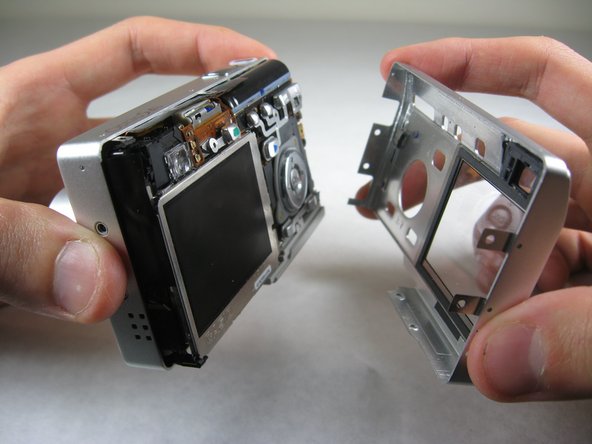
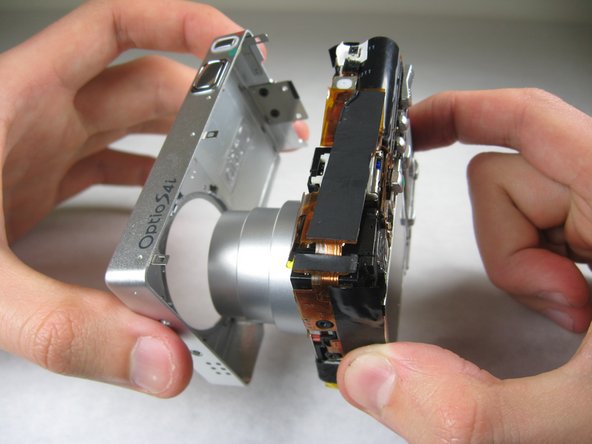
      • Carefully pull the back of casing away from the front.

      Pergunte ao FixBot

      Comentar

    4. Pentax Optio S4i Front and Back Cover Replacement: passo 4, imagem 1 %32 Pentax Optio S4i Front and Back Cover Replacement: passo 4, imagem 2 %32 Pentax Optio S4i Front and Back Cover Replacement: passo 4, imagem 3 %32
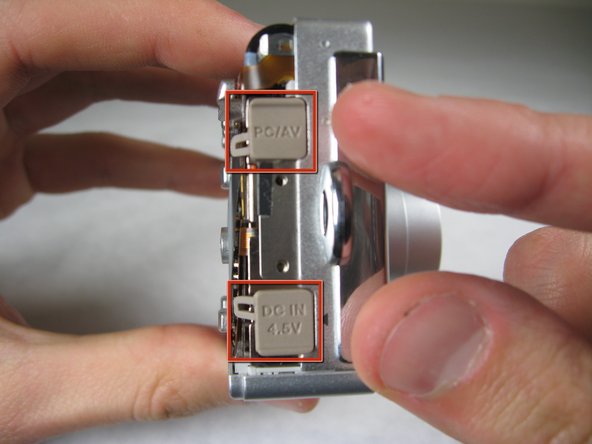
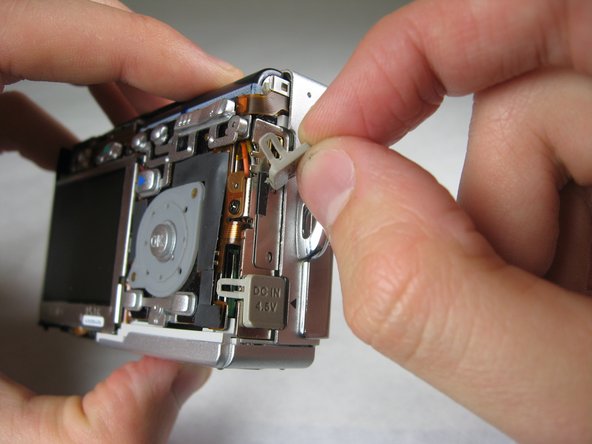
      • After removing the back cover, several things must be removed.

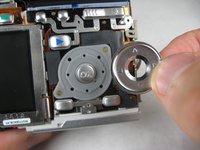
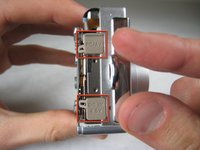
      • Silver donut-shaped button will fall off. Place separately. Remove the plug covers on the right side of camera, labeled “PC/AV” and “DC IN 4.5V”.

      Pergunte ao FixBot

      Comentar

    5. Pentax Optio S4i Front and Back Cover Replacement: passo 5, imagem 1 %32 Pentax Optio S4i Front and Back Cover Replacement: passo 5, imagem 2 %32
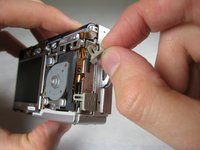
      • To remove the front cover, gently hold the inside structure of the camera and slowly pull the front cover off.

      Pergunte ao FixBot

      Comentar

Conclusão

To reassemble your device, follow these instructions in reverse order.

Cancelar: não concluí este guia.

Uma outra pessoa concluiu este guia.

Nicole Wong

Membro desde: 01/30/11

371 Reputação

Autoria de 3 guias

Equipe

Cal Poly, Team 4-29, Regan Winter 2011 Membro de Cal Poly, Team 4-29, Regan Winter 2011

CPSU-REGAN-W11S4G29

3 Membros

Autoria de 60 guias

0Comentários do guia

Comentar

Visualizações:

Últimas 24 horas: 3

Últimos 7 dias: 19

Últimos 30 dias: 103

Ao todo: 3,975