
Panasonic Power Supply Board Power Board Replacement

Kevin e
Última atualização em 14 de jan de 2026
Visualizações: 6,5 mil
Visualizar Estatísticas:
- Últimas 24 horas:
- 10
- Últimos 7 dias:
- 48
- Últimos 30 dias:
- 172
- Ao todo:
- 6.518
Comentários: 2
2 comments on steps.
Concluído: 1 2
1 pessoa marcou este guia como "concluído". Será você o próximo?
2· pessoas marcaram este guia como "concluído". Incluindo você — ótimo trabalho!
Favorites: 4 5
4 pessoas favoritaram (e se inscreveram) neste guia. Você será o próximo?
5 pessoas marcaram como favorito (e assinaram) este guia - incluindo você!
Fotos de ação
Seja um herói em ação! Este guia precisa de imagens que melhor demonstrem como executar ações específicas.
Introdução
Ir para o passo 1 ↓Taking the power board out of the chassis
O que você precisa
Ferramentas

-
-
-
Eject the disk tray from the DVD player before removing power supply.
 Pergunte ao FixBot
-
-
-
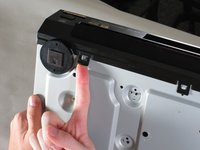
Evenly lift upward on the disk tray front cover (not slanted, as pictured). This will allow for easier disassembly of the player.
-
-
-
-
-
Remove the three screws running along the back edge of case cover.
-
Remove the two screws from each side of the case cover.
-
-
-
-
Grab edges of the cover with your hands. Pull outward slightly, then straight up.
-
-
-
-
-
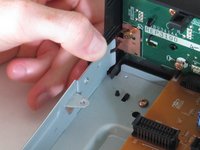
Lift up the five tabs securing the front panel to the chassis. There are three on the bottom, and two on the inside edges of the panel. Panel should then lift off the player.
-
-
-
-
-
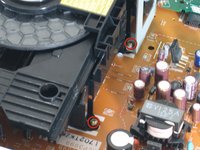
Locate the four screws securing the disk drive assembly. There are two on each side.
-
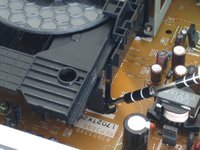
Use a narrow screwdriver to remove all four screws.
-
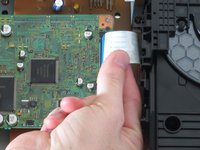
Remove the blue ribbon wire from its connector. When doing this, be cautious to not damage the connector.
-
-
-
Lift assembly by the front to pull metal bracket from the power board.
-
Pull up back end and lift drive out.
-
-
-
With the drive assembly separate from the player, hold as shown and pull the bracket edges away from the disk drive.
-
Lift bracket off and reserve for re-assembly.
-
-
-
-
-
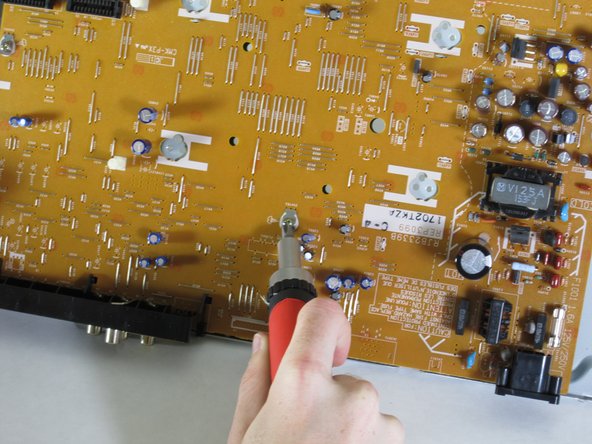
Remove 4 screws from the power board as shown.
-
Lift the power board straight up and out of the chassis.
-
-







To reassemble your device, follow these instructions in reverse order.
Cancelar: não concluí este guia.
Uma outra pessoa concluiu este guia.

Equipe

Cal Poly, Team 18-20, Garner Spring 2011 Membro de Cal Poly, Team 18-20, Garner Spring 2011
CPSU-GARNER-S11S18G20
4 Membros
Autoria de 132 guias
