Ir para o conteúdo principal
Participe da comunidade de reparos - Criar conta

Panasonic Lumix DMC-FX07 Back Panel Buttons Replacement

O que você precisa

  1. Panasonic Lumix DMC-FX07 Back Panel Buttons Replacement, Battery: passo 1, imagem 1 %32
    • Move the switch on the battery door to the Open position.

    • The door will automatically swing open after you let it go.

    Pergunte ao FixBot
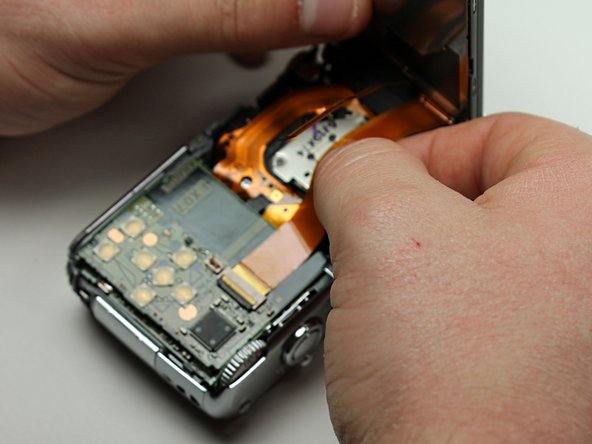
  2. Panasonic Lumix DMC-FX07 Back Panel Buttons Replacement: passo 2, imagem 1 %32 Panasonic Lumix DMC-FX07 Back Panel Buttons Replacement: passo 2, imagem 2 %32
    • Push the small gray tab on the top right corner to the left. The battery will pop out slightly.

    • Keep your finger clear of the battery when it pops out.

    Pergunte ao FixBot
  3. Panasonic Lumix DMC-FX07 Back Panel Buttons Replacement, Memory Card: passo 3, imagem 1 %32
    • Push the memory card in and let go.

    • The memory card will pop out slightly.

    • Pull out the memory card.

    Pergunte ao FixBot
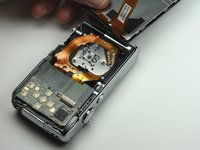
  4. Panasonic Lumix DMC-FX07 Back Panel Buttons Replacement, Back Cover: passo 4, imagem 1 %32 Panasonic Lumix DMC-FX07 Back Panel Buttons Replacement, Back Cover: passo 4, imagem 2 %32
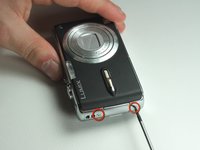
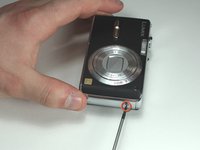
    • Unscrew the small screws on the sides of the camera.

    • The screws on the left side(#00P, 4.7mm) are longer than the screw on the right side(#00P, 3.3mm).

    Pergunte ao FixBot
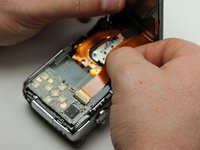
  5. Panasonic Lumix DMC-FX07 Back Panel Buttons Replacement: passo 5, imagem 1 %32 Panasonic Lumix DMC-FX07 Back Panel Buttons Replacement: passo 5, imagem 2 %32
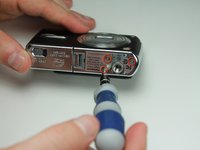
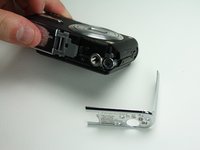
    • Unscrew the three small screws on the bottom(#00P, 3.3mm).

    • The bottom will fall off.

    Pergunte ao FixBot
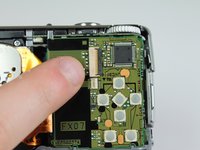
  6. Panasonic Lumix DMC-FX07 Back Panel Buttons Replacement: passo 6, imagem 1 %32 Panasonic Lumix DMC-FX07 Back Panel Buttons Replacement: passo 6, imagem 2 %32 Panasonic Lumix DMC-FX07 Back Panel Buttons Replacement: passo 6, imagem 3 %32
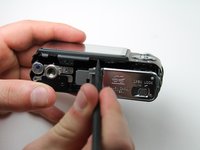
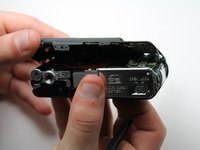
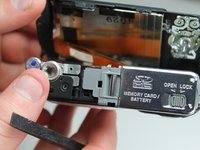
    • Lift up the bottom back cover by prying the bottom edge with the spudger.

    • Gently lift up the back cover with your hand from the bottom to the top.

    Pergunte ao FixBot
  7. Panasonic Lumix DMC-FX07 Back Panel Buttons Replacement: passo 7, imagem 1 %32 Panasonic Lumix DMC-FX07 Back Panel Buttons Replacement: passo 7, imagem 2 %32 Panasonic Lumix DMC-FX07 Back Panel Buttons Replacement: passo 7, imagem 3 %32
    • Lift the tabs on the ZIF connectors.

    • The ribbon cables should easily come out of the ZIF connectors.

    Pergunte ao FixBot
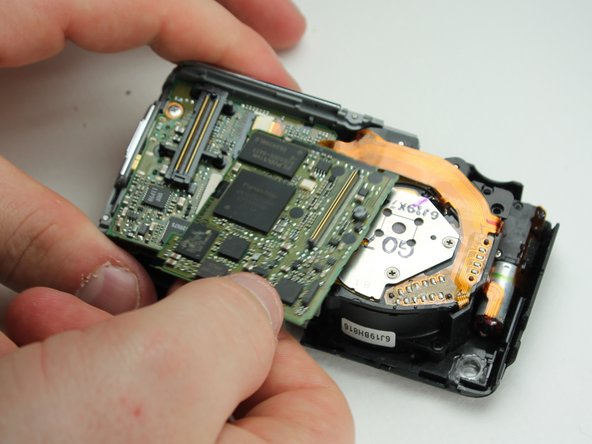
  8. Panasonic Lumix DMC-FX07 Back Panel Buttons Replacement, Back Panel Buttons: passo 8, imagem 1 %32 Panasonic Lumix DMC-FX07 Back Panel Buttons Replacement, Back Panel Buttons: passo 8, imagem 2 %32
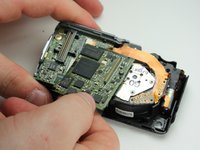
    • Gently wiggle out the top motherboard.

    • The buttons are hardwired into this logic board.

    Pergunte ao FixBot
Conclusão

To reassemble your device, follow these instructions in reverse order.

Uma outra pessoa concluiu este guia.

Karissa

Membro desde: 04/13/12

71 Reputação

Autoria de 8 guias

Equipe

Cal Poly, Team 6-23, Amido Spring 2012 Membro de Cal Poly, Team 6-23, Amido Spring 2012

CPSU-AMIDO-S12S6G23

4 Membros

Autoria de 10 guias

0Comentários do guia

Comentar

Visualizações:

Últimas 24 horas: 3

Últimos 7 dias: 7

Últimos 30 dias: 64

Ao todo: 1,210