Ir para o conteúdo principal
Participe da comunidade de reparos - Criar conta

Palm Zire 21 Screen Replacement

O que você precisa
  1. Palm Zire 21 Screen Replacement, Screen: passo 1, imagem 1 %32 Palm Zire 21 Screen Replacement, Screen: passo 1, imagem 2 %32
    • Remove the two 0.8mm screws located on the back of the device.

  2. Palm Zire 21 Screen Replacement: passo 2, imagem 1 %32 Palm Zire 21 Screen Replacement: passo 2, imagem 2 %32 Palm Zire 21 Screen Replacement: passo 2, imagem 3 %32
    Ferramenta utilizada neste passo:
    Tweezers
    $4.99
    •  Using tweezers, or something similar flip up the tab, releasing the wires located under the flap

  3. Palm Zire 21 Screen Replacement: passo 3, imagem 1 %32 Palm Zire 21 Screen Replacement: passo 3, imagem 2 %32
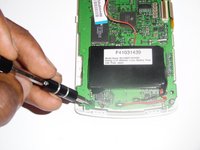
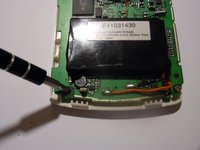
    • Using a Philips head screwdriver, remove the two screws located at the bottom of the board.

  4. Palm Zire 21 Screen Replacement: passo 4, imagem 1 %32 Palm Zire 21 Screen Replacement: passo 4, imagem 2 %32
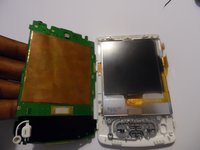
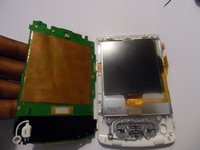
    • Gently, remove the motherboard by lifting up exposing the screen.

  5. Palm Zire 21 Screen Replacement: passo 5, imagem 1 %32 Palm Zire 21 Screen Replacement: passo 5, imagem 2 %32
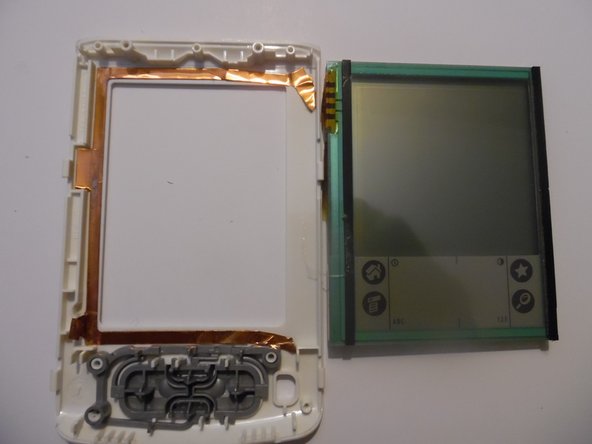
    • Carefully, remove the screen from the device by lifting up and replacing with a new one.

Conclusão

To reassemble your device, follow these instructions in reverse order.

Uma outra pessoa concluiu este guia.

Jeremy Craft

Membro desde: 09/26/14

301 Reputação

Autoria de 3 guias

Equipe

0Comentários do guia

Comentar

Visualizações:

Últimas 24 horas: 1

Últimos 7 dias: 9

Últimos 30 dias: 27

Ao todo: 686