Ir para o conteúdo principal
Participe da comunidade de reparos - Criar conta

PDP Afterglow Fener Wireless Dongle USB Wire Repair

O que você precisa

  1. PDP Afterglow Fener Wireless  Dongle USB Wire Repair, PDP Afterglow Fener Wireless  Dongle USB Wire Repair: passo 1, imagem 1 %32 PDP Afterglow Fener Wireless  Dongle USB Wire Repair, PDP Afterglow Fener Wireless  Dongle USB Wire Repair: passo 1, imagem 2 %32 PDP Afterglow Fener Wireless  Dongle USB Wire Repair, PDP Afterglow Fener Wireless  Dongle USB Wire Repair: passo 1, imagem 3 %32
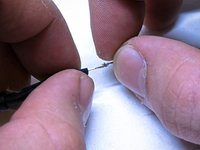
    • First, remove the heat shrink from the new USB.

    • Then remove the signal shield protection from the new USB.

    • Next, cut the 4 wire ends that are now protruding from the end of the USB.

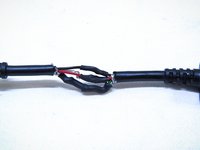
  2. PDP Afterglow Fener Wireless  Dongle USB Wire Repair: passo 2, imagem 1 %32 PDP Afterglow Fener Wireless  Dongle USB Wire Repair: passo 2, imagem 2 %32 PDP Afterglow Fener Wireless  Dongle USB Wire Repair: passo 2, imagem 3 %32
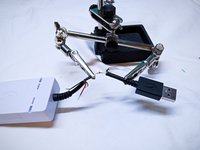
    • Then do the same process as above, for the USB wire coming out of the dongle itself.

    • Bend the wire ends so that they form hook shapes.

    • Connect the two hooks together.

  3. PDP Afterglow Fener Wireless  Dongle USB Wire Repair: passo 3, imagem 1 %32 PDP Afterglow Fener Wireless  Dongle USB Wire Repair: passo 3, imagem 2 %32 PDP Afterglow Fener Wireless  Dongle USB Wire Repair: passo 3, imagem 3 %32
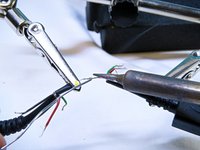
    • Once hooked, twist the two wires together to keep a strong connection.

    • Use a helping hand or other platform to perform the soldering.

    • Now solder the two wires together. Be careful to avoid melting the heat shrink otherwise it may get onto the copper wires.

  4. PDP Afterglow Fener Wireless  Dongle USB Wire Repair: passo 4, imagem 1 %32 PDP Afterglow Fener Wireless  Dongle USB Wire Repair: passo 4, imagem 2 %32
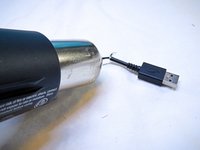
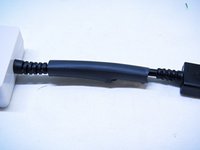
    • Next you can use a heat gun to melt the heat shrinks together for maximum wire protection.

  5. PDP Afterglow Fener Wireless  Dongle USB Wire Repair: passo 5, imagem 1 %32 PDP Afterglow Fener Wireless  Dongle USB Wire Repair: passo 5, imagem 2 %32
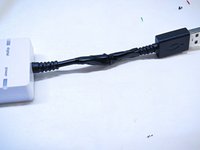
    • Finally, you can cover the whole thing with either a large heat shrink, or some electrical tape.

Conclusão

This guide does not require reassembly, as the guide itself is re-attaching the USB.

Equipe

UMass Dartmouth, Team 5-3, Gulbrandsen Fall 2015 Membro de UMass Dartmouth, Team 5-3, Gulbrandsen Fall 2015

UMASSD-GULBRANDSEN-F15S5G3

3 Membros

Autoria de 10 guias

0Comentários do guia

Comentar

Visualizações:

Últimas 24 horas: 0

Últimos 7 dias: 6

Últimos 30 dias: 42

Ao todo: 2,016