Ir para o conteúdo principal

Optical Drive Enclosure Faceplate

Pré-requisito somente
Este é um guia somente para pré-requisitos! Este guia faz parte de outro procedimento e não deve ser usado sozinho.

O que você precisa

  1. Optical Drive Enclosure Faceplate, Optical Drive Enclosure Faceplate: passo 1, imagem 1 %32
    • Remove the three 3.0 mm Phillips screws from the optical bay enclosure.

  2. Optical Drive Enclosure Faceplate: passo 2, imagem 1 %32 Optical Drive Enclosure Faceplate: passo 2, imagem 2 %32 Optical Drive Enclosure Faceplate: passo 2, imagem 3 %32
    • Starting from the left edge, gently pull open the optical bay enclosure.

    • Continue to pull open the two halves of the enclosure until they separate.

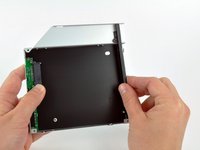
  3. Optical Drive Enclosure Faceplate: passo 3, imagem 1 %32
    • Remove the two 3.0 mm Phillips screws securing the faceplate to the optical bay enclosure.

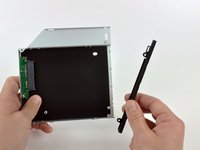
  4. Optical Drive Enclosure Faceplate: passo 4, imagem 1 %32 Optical Drive Enclosure Faceplate: passo 4, imagem 2 %32 Optical Drive Enclosure Faceplate: passo 4, imagem 3 %32
    • Lift the black plastic faceplate out of the optical bay enclosure.

    • You will no longer need the faceplate or the two Phillips screws that held it in place. Set those parts aside if you ever wish to put the faceplate back into the enclosure.

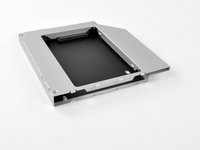
    • Reassemble the optical bay enclosure without the faceplate, reusing the original three 3.0 mm Phillips screws to keep it intact.

Conclusão

To reassemble your device, follow these instructions in reverse order.

Brittany McCrigler

Membro desde: 03/05/12

90.490 Reputação

Autoria de 142 guias

Equipe

iFixit Membro de iFixit

Staff

123 Membros

Autoria de 23.788 guias

0Comentários do guia

Comentar

Visualizações:

Últimas 24 horas: 0

Últimos 7 dias: 1

Últimos 30 dias: 2

Ao todo: 819