Introdução
The Olympus D590’s motherboard deals with the logical computation of the camera’s system. For users who are experiencing frequent system crashes, power issues beyond the battery, or wear and tear, this guide will address these issues. Additionally, replacing the motherboard will increase the performance and enhance its data safety.
No special skills are required to perform this replacement.
O que você precisa
-
-
Remove five baseplate screws using a Phillips #00 screwdriver.
 Pergunte ao FixBot
-
-
Ferramenta utilizada neste passo:Tweezers$4.99
-
Press and slide the battery cover retainer clip to the left. Use tweezers to lift the battery cover away.
-
-
-
Remove the single screw from the battery housing using a Phillips #00 screwdriver.
-
-
-
-
Remove two screws from the ports using a Phillips #00 screwdriver.
-
-
-
Use a spudger to pry the faceplate away from the rest of the camera.
-
-
-
To avoid disconnection of the connector line to the motherboard, use caution when pulling faceplate away from camera case.
-
-
-
Remove four screws holding the motherboard to the internal housing component using a Phillips #1 screwdriver.
-
-
Ferramenta utilizada neste passo:Tweezers$4.99
-
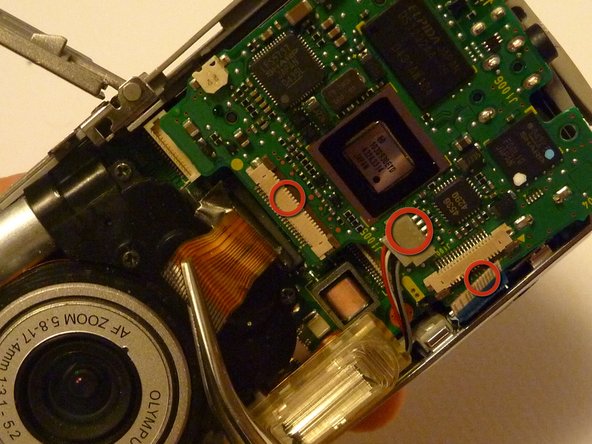
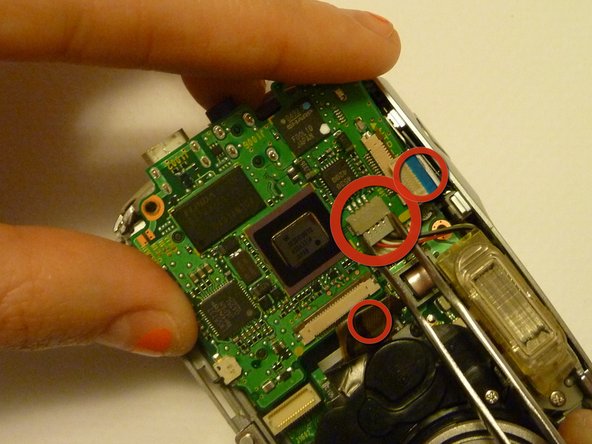
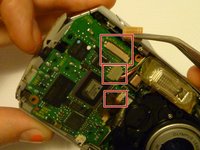
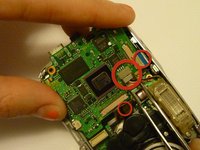
Use rounded tweezers to disconnect the three wiring strips from the motherboard.
-


To reassemble your device, follow these instructions in reverse order.
Cancelar: não concluí este guia.
2 outras pessoas executaram este guia.

Equipe

Cal Poly, Team 28-23, Regan Spring 2010 Membro de Cal Poly, Team 28-23, Regan Spring 2010
CPSU-REGAN-S10S28G23
4 Membros
Autoria de 14 guias
